CalqenfrarptSign in

Calq Community

Buildings drawn by everyone.

Open any model in your browser and walk through it. Make a copy and make it yours, then share your own.

models
43
buildings
319
shared by members
1

Weekly design challenge 2026-W46

A reading room

A small public reading room full of daylight: shelves, tables, a quiet corner and a way in from the street that invites people inside.

Closes at the end of Sunday, November 15, 2026 (UTC) / 0 entries

No entry yet. Yours could be the first.

How to enter: open Share on a model of yours, turn on Share it with the Community, then Enter this week's challenge. One entry a person a week. The entry whose link is copied most before the close wins, then the most opened: no votes, no judges. Winners stay on this page.

From the Calq catalogue

42Each one opens as a whole BIM model, ready to change.
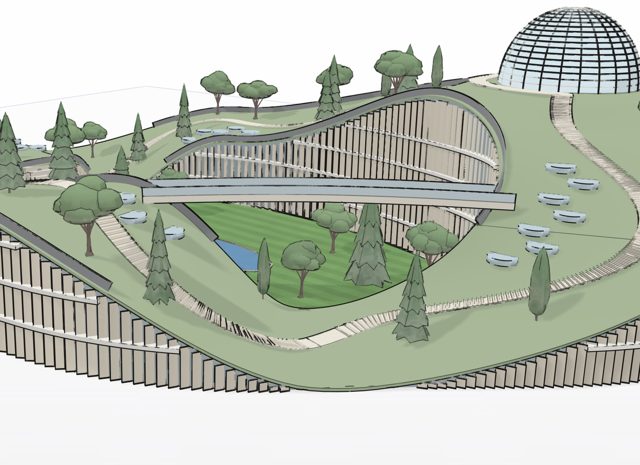
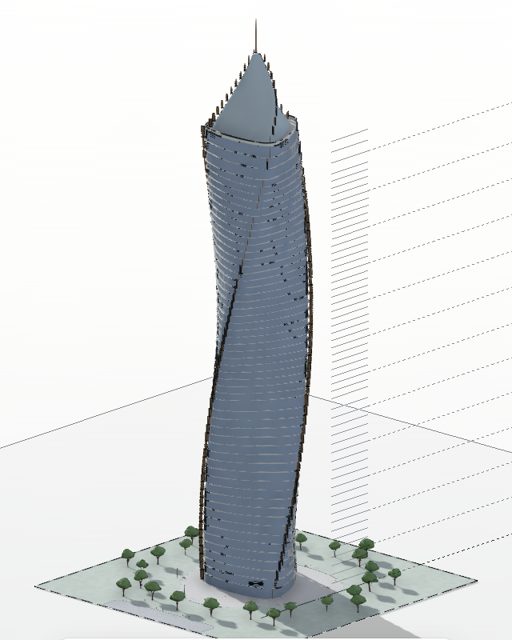
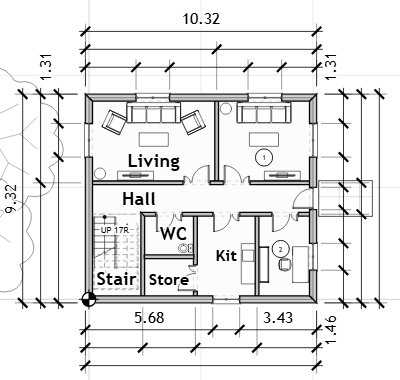
Units catalogueSheetC-01Drawn by CalqHousingGround and topography catalogueSheetC-02Drawn by CalqOtherPlan engine catalogueSheetC-03Drawn by CalqHousingWorks catalogueSheetC-04Drawn by CalqHouses and villasRoof catalogueSheetC-05Drawn by CalqHouses and villasDome catalogueSheetC-06Drawn by CalqCulture and public buildingsMinaret catalogueSheetC-07Drawn by CalqCulture and public buildingsMosques of the Levant, Mesopotamia and EgyptSheetC-08Drawn by CalqCulture and public buildingsMosques of Anatolia, Persia, Central and South AsiaSheetC-09Drawn by CalqCulture and public buildingsMosques of Arabia and the GulfSheetC-10Drawn by CalqCulture and public buildingsMosques of the Maghreb, al-Andalus, Africa, the East and todaySheetC-11Drawn by CalqCulture and public buildingsFlats - slab, options A and BSheetC-12Drawn by CalqHousingFlats - slab option C and the family slabSheetC-13Drawn by CalqHousingFlats - shallow, bar, tight and UK platesSheetC-14Drawn by CalqHousingFlats - turned slab and point blocksSheetC-15Drawn by CalqHousingFlats - the UK and the USSheetC-16Drawn by CalqHousingFlats - Saudi and DubaiSheetC-17Drawn by CalqHousingFlats - studio-heavy and balancedSheetC-18Drawn by CalqHousingFlats - family-heavy and student housingSheetC-19Drawn by CalqHousingFlats - L blockSheetC-20Drawn by CalqHousingFlats - T blockSheetC-21Drawn by CalqHousingFlats - block with an angled edgeSheetC-22Drawn by CalqHousingFlats - U blockSheetC-23Drawn by CalqHousingFlats - courtyard blockSheetC-24Drawn by CalqHousingFlats - courtyard block, Saudi codeSheetC-25Drawn by CalqHousingFlats - big courtyard blockSheetC-26Drawn by CalqHousingFlats - Z blockSheetC-27Drawn by CalqHousingFlats - stepped slabSheetC-28Drawn by CalqHousingFlats - stepped terrace of three barsSheetC-29Drawn by CalqHousingFlats - stepped terrace of four barsSheetC-30Drawn by CalqHousingFlats - bent slab, one core at the corner, UKSheetC-31Drawn by CalqHousingFlats - slab bent at 30 degreesSheetC-32Drawn by CalqHousingFlats - slab bent at 60 degreesSheetC-33Drawn by CalqHousingFlats - tall slab, 9 storeysSheetC-34Drawn by CalqHousingFlats - 12-storey slab, UKSheetC-35Drawn by CalqHousingFlats - point tower, USSheetC-36Drawn by CalqHousingFlats - 130 m slabSheetC-37Drawn by CalqHousingFlats - 60 m slab, two coresSheetC-38Drawn by CalqHousingMixed use - shops under flatsSheetC-39Drawn by CalqHousingHouses and villasSheetC-40Drawn by CalqHouses and villasOffices, shops and workshopsSheetC-41Drawn by CalqOffices and workplacesClinics, schools, civic and hotelsSheetC-42Drawn by CalqHealthcare

How sharing works

  1. Press Share

    On any model of yours, press Share at the top of the board.

  2. Share it with the Community

    Open the link to anyone, pick the kind of building and choose whether your name shows.

  3. People build on it

    They open it, walk through it and make copies of their own. Share tells you how many.

Questions

Is it free?

Yes. Opening, copying and sharing models is free; a copy needs a free account.

Can people change my model?

No. A shared model opens read only. Someone who copies it changes their own copy, never yours.

Can I take it down?

Yes, at any time: set the model back to Restricted in Share, or delete it, and it leaves the Community within a minute.

What do I need to open one?

A browser, on any computer. Every model can also be saved as IFC for other BIM tools.

Draw it once. Share it with everyone.

The next model someone copies could be yours.