CalqFrançaisOpen Calq
Learn Calq: a building from A to Z / Part 3 The brief
Roles, revisions and sign-off
See what the brief owner, the designer, the reviewer and the approver may do, bring in a new issue of the schedule and accept what it changes.
You will look at the brief as each of its four roles, bring in revision B of the schedule and accept its changes.
The files this lesson uses: brief.csv brief-b.csv
01Four roles
The four tabs at the head of the drawer are the four roles of a brief. The brief owner writes it: its lines, its rule and its tolerance, and decides what the designer asks and who signs. The designer links the rooms to the brief and designs them to it; a target stays the brief owner's, so the designer asks to accept a room as it is. The reviewer reads where the design stands and changes nothing. The approver signs the brief off as it stands.
On a shared model, each person acts in the role the model gives them. The tabs let you see the drawer as each role sees it.
02A new issue
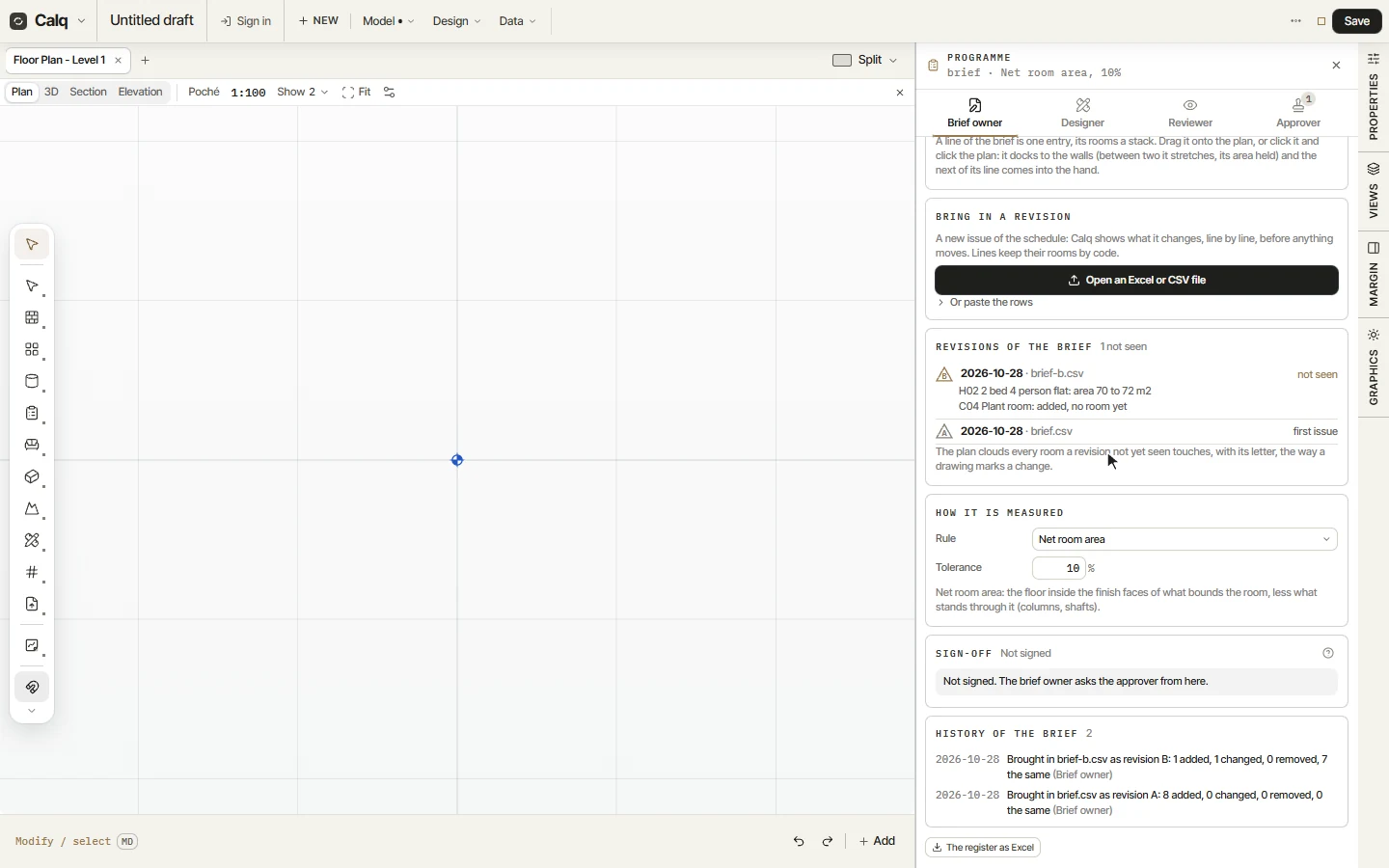
When the client issues the schedule again, press Open an Excel or CSV file under Bring in a revision. Calq matches each line on its code, so a line keeps its rooms, and shows what the new issue changes: here one line changed (the 2 bed flat grows from 70 to 72 m2) and one added (a plant room). A line that is removed loses its rooms' links, and the drawer names it before you accept.
03Accept the changes
Press Accept the changes: the brief becomes revision B, listed under Revisions of the brief above the first issue, with its date, its file and what it changed. Until it is seen it is marked not seen, and once rooms are drawn the plan clouds every room it touches with its letter, the way a drawing marks a change.
04Sign-off
Sign-off says whether the brief is signed. On a saved model, the brief owner asks the approver from here, by email: the approver signs from a link, proving the address with a code sent to it, and needs no account.