CalqFrançaisOpen Calq
Learn Calq: a building from A to Z / Part 3 The brief
The brief on the plan
Put the brief's rooms down on the plan with the tray, read each one measured against its line, and see the check follow a change.
You will lay the three shop units from the tray, read the check, then move a partition and see one shop fall short and the next go over.
The files this lesson uses: brief.csv
01Put rooms down from the tray
The tray, in the Programme drawer, holds every room the brief asks for as cards grouped by department, each with its count. Click a card: its room comes into the hand at its area. Click the plan to put it down: it lands with its walls and its door, born linked to its line, and the next room of the same line comes into the hand.
Near a wall a room docks against it, and between two walls it stretches with its area held. Here three shop units are laid side by side, each against the last. Esc puts the hand down.
02Read the check
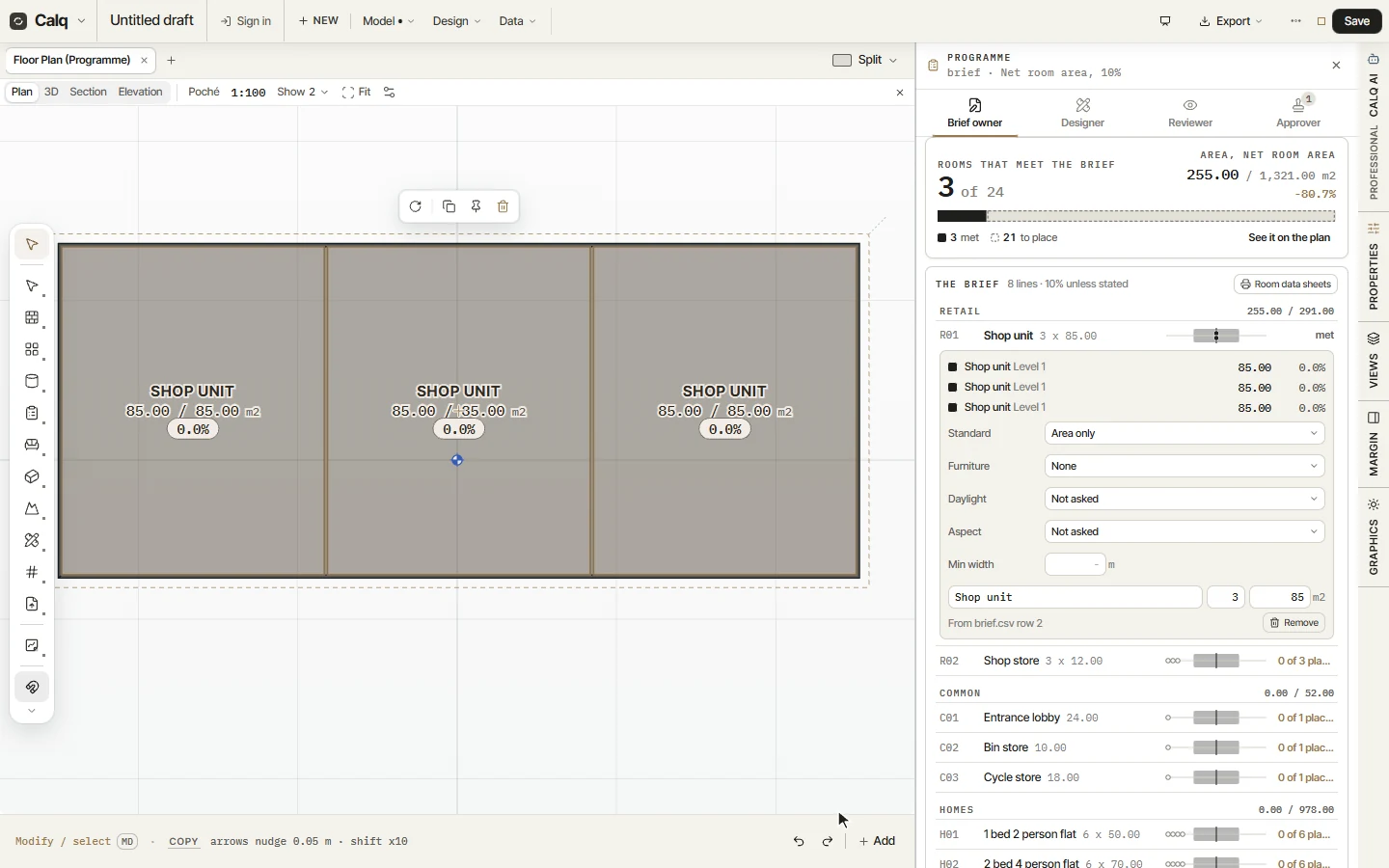
Rooms that meet the brief now counts 3: the three shop units are drawn and each meets its line. Open the line: each of its rooms is listed with its storey, its measured area and how far it is off its line, here 85.00 m2 and 0.0%. On the plan, each room carries the same reading: its area against its line, and the difference.
03The check follows the design
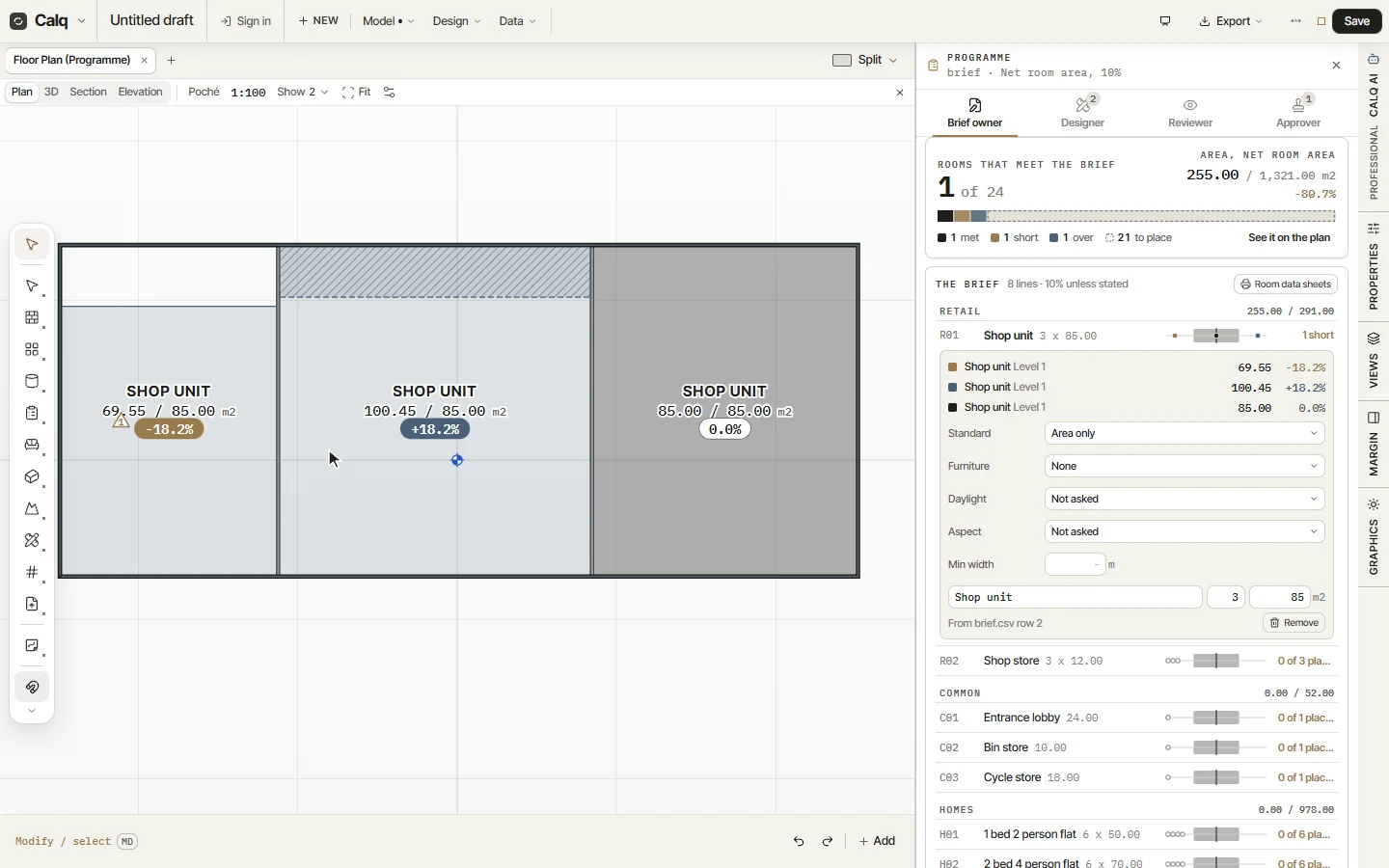
Select the partition between the first two shops and nudge it 1.5 m to the west with Shift and the left arrow (each press moves it 0.5 m; the arrow alone, 0.05 m). The rooms follow their walls and are measured again at once: the first shop falls short of its line and the second goes over.
04What the drawer says
The drawer follows too: the line Shop unit now has a room short and a room over, and the score at the top reads one met, one short and one over. Move the partition back, or ask the brief owner to accept a room as it is, and the line meets again.
A room drawn another way (with walls and the Room tool, or by Calq AI) is linked by hand: take the Designer role, select the room on the plan, open its line and press Link the selected room. Rooms named like a line are offered under Rooms to link, to link all at once.