CalqFrançaisOpen Calq
Learn Calq: a building from A to Z / Part 1 Set up the project
Coordinates and true north
Place the project base point, the survey point and true north, so the model stands at its real place on the earth and its IFC says so.
You will place the base point, the survey point and true north on the plan, and find the georeference that carries them into the IFC.
An IFC model carries where it stands on the earth: its map coordinates, the grid they are in and the angle to true north (IfcMapConversion). Calq writes them from the three marks of this lesson.
01The project base point
Open the Datums toolset and choose Base point, then click on the plan where the exported coordinates are to be set out from. The base point is the project's own origin: the point the model's coordinates are measured from, and the point the IFC places the model at. Placing it moves the point only: the model and the map stay where they are.
02The survey point
Choose Survey point in Datums and click: the survey point ties the project to the real world, a known point of the site with its eastings, northings and height in a map grid. It is placed at E 0, N 0 until you give it its real figures (step 4).
03True north
Choose True north in Datums and click on the plan to give its direction: an arrow marked TN stands on the base point. Plans stay drawn with project north up the sheet; true north turns the sun, the north arrow and the IFC's orientation.
04The georeference
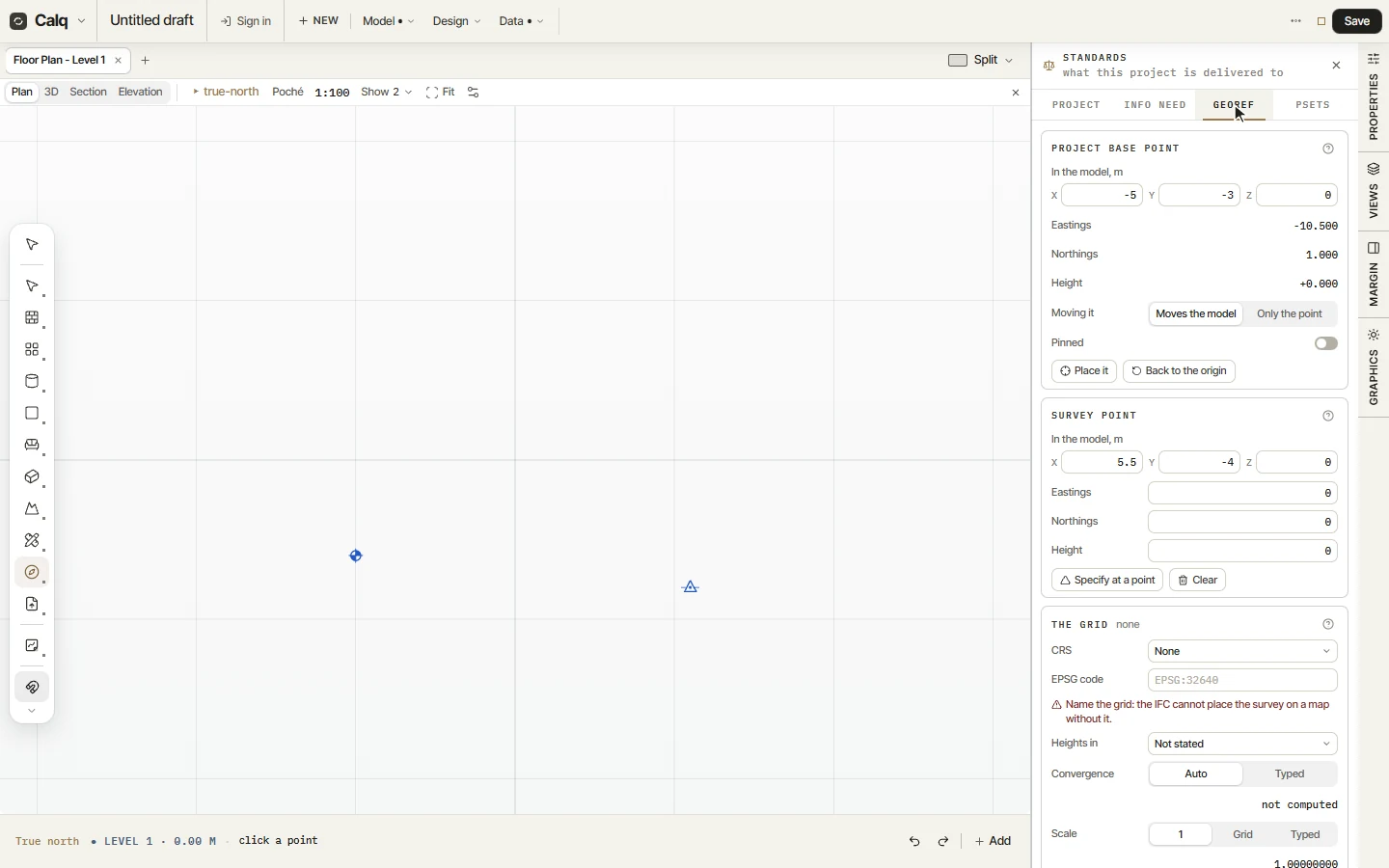
Open Data, Standards and its Georef tab. The project base point gives its place in the model and its eastings, northings and height, whether moving it moves the model or only the point, a pin, and Back to the origin. The survey point takes its real eastings, northings and height. The grid names the coordinate system (by its name or its EPSG code): until it is named, the IFC cannot place the survey on a map, and the panel says so. The convergence between grid north and true north is worked out from the grid, unless you type it.