CalqFrançaisOpen Calq
Learn Calq: a building from A to Z / Part 5 Building elements
Floors and roofs
Fit a floor and a roof to the walls in one click each, and see how the walls follow the roof.
You will fit the shop's floor slab and its roof to its walls and look at them in 3D.
01A floor fitted to the walls
Open the Floors toolset and choose Floor fit, under Make it for me: a floor slab is fitted to the walls of the storey, its edge on their faces, in one step.
Floor draws a slab by its outline instead, Slab void cuts a hole in one, and Ceiling draws a ceiling.
02A roof fitted to the walls
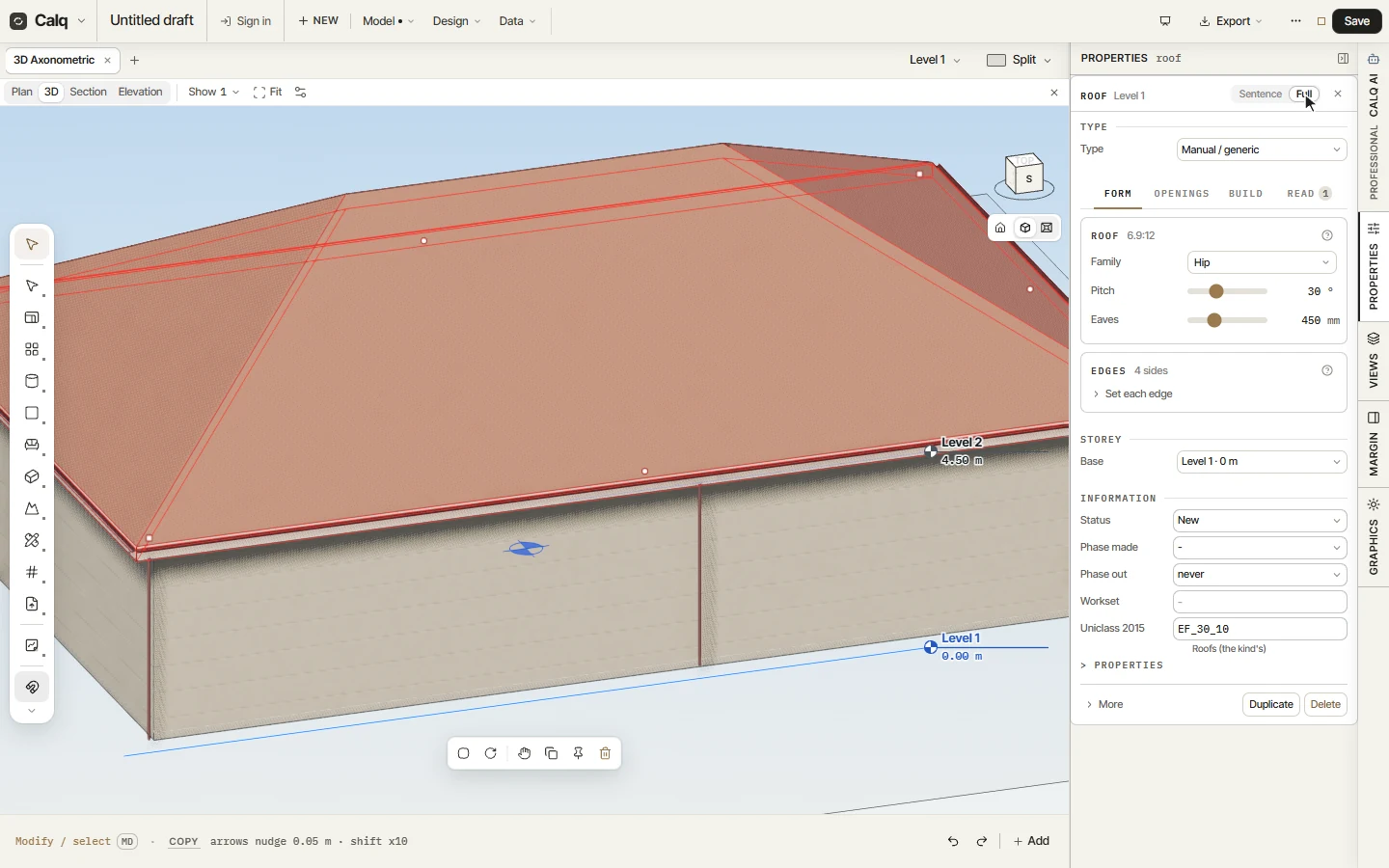
Choose Roof fit: a roof is fitted to the walls of the storey, its eaves past their outer faces. Here it is a hipped roof, and a storey is made at its eaves (Level 2, 4.50 m) for whatever stands above.
Roof draws a roof by its outline, and Roof light puts a roof light in one.
03In 3D
In 3D the roof covers the walls, and the walls' tops now follow it.
04What the walls under it say
Select a wall under the roof and open Properties, Full: Top follows the roof above is now on, and Parapet gable can stand a gable above the roof's line. Select the roof itself to change its shape, its slope and its overhang.