 CalqFrançaisOpen Calq
Learn Calq: a building from A to Z / Part 5 Building elements
Stairs and ramps
Draw a stair that climbs a storey with its railings, and a ramp beside it.
You will draw a stair and a ramp, read the stair's properties and see both in 3D.
01A stair
Open the Floors toolset and choose Stair. The cursor line sets its width W, how it turns, the angle of the turn and its type; it rises from one storey to the next (floor to floor 3.00 m here). Click where it starts, then the way it climbs: the stair is laid with its treads, its risers and a railing on each side.
02A ramp
Choose Ramp and click where it starts and the way it rises: it climbs at its slope (1:12 here) over the length drawn, never past the storey above, its handrails on both sides. Railing, in the same group, draws a railing along any run you click: a balcony, a landing, the edge of a slab.
03What a stair carries
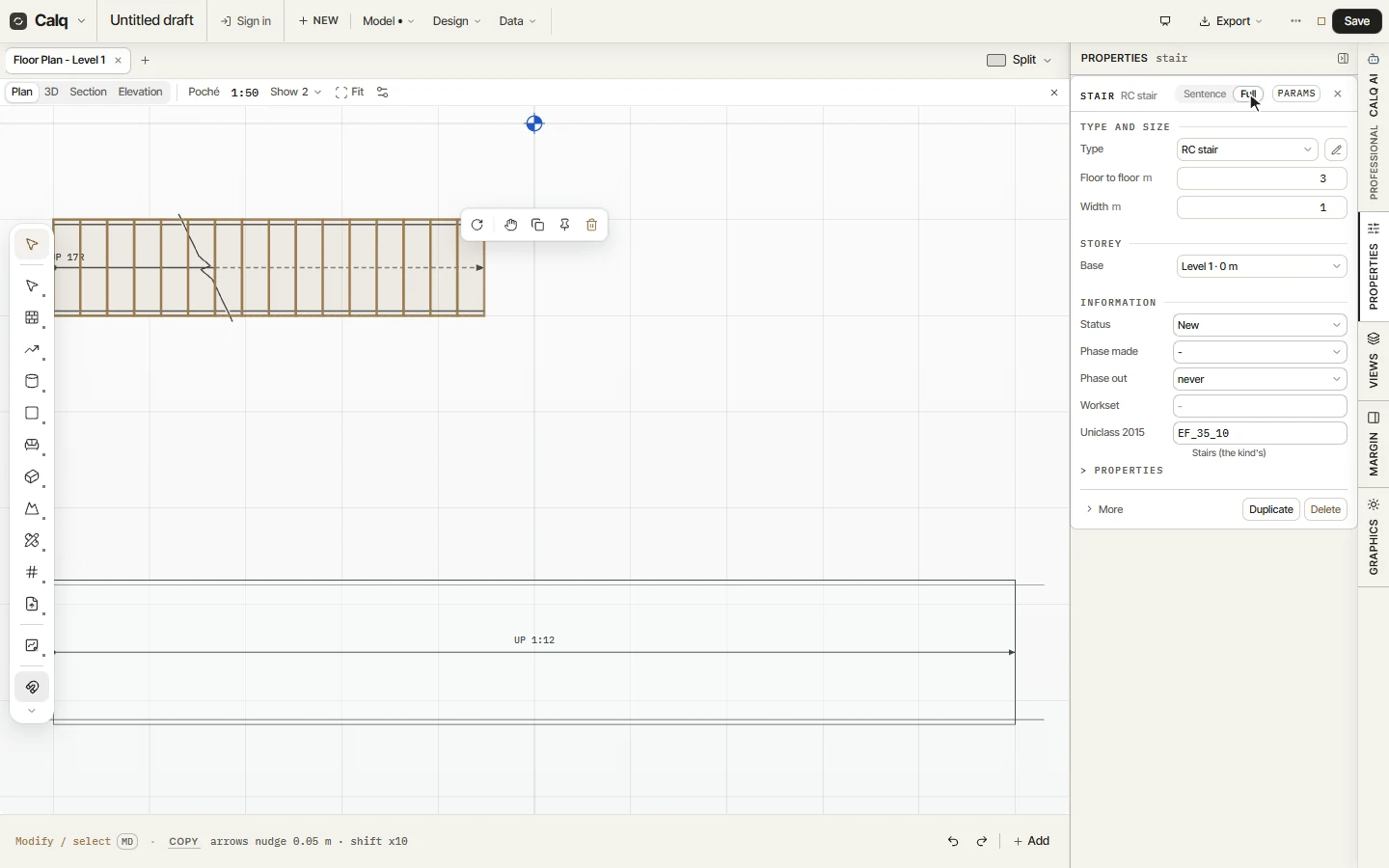
Select the stair and open Properties, Full: its type, its floor to floor height, its width and its base storey are there to change, with its status, its phases and its Uniclass 2015 code.
04In 3D
In 3D the stair climbs between its railings, each tread drawn, and the ramp rises beside it between its handrails.