CalqFrançaisOpen Calq
Learn Calq: a building from A to Z / Part 5 Building elements
The structure
Lay a structural frame read off the walls: a grid, and a column at every crossing.
You will lay the shop's structure from its walls in one step and look at it in 3D and on the plan.
01A frame from the walls
Open the Struct toolset and choose Frame, under Make it for me. The cursor line sets the largest span, the system (a frame, or bearing walls), the column size, whether beams come too and whether partitions are snapped onto the grid. Press Enter: a grid is read off the walls and a column stands at every crossing; where a floor stands above, beams run under it.
Column and Beam place them one by one, and At grid puts a column on every free crossing of a grid you set up yourself (Part 1, the structural grid).
02In 3D
In 3D the columns stand on their grid inside the walls, from the floor to the top of the storey.
03On the plan
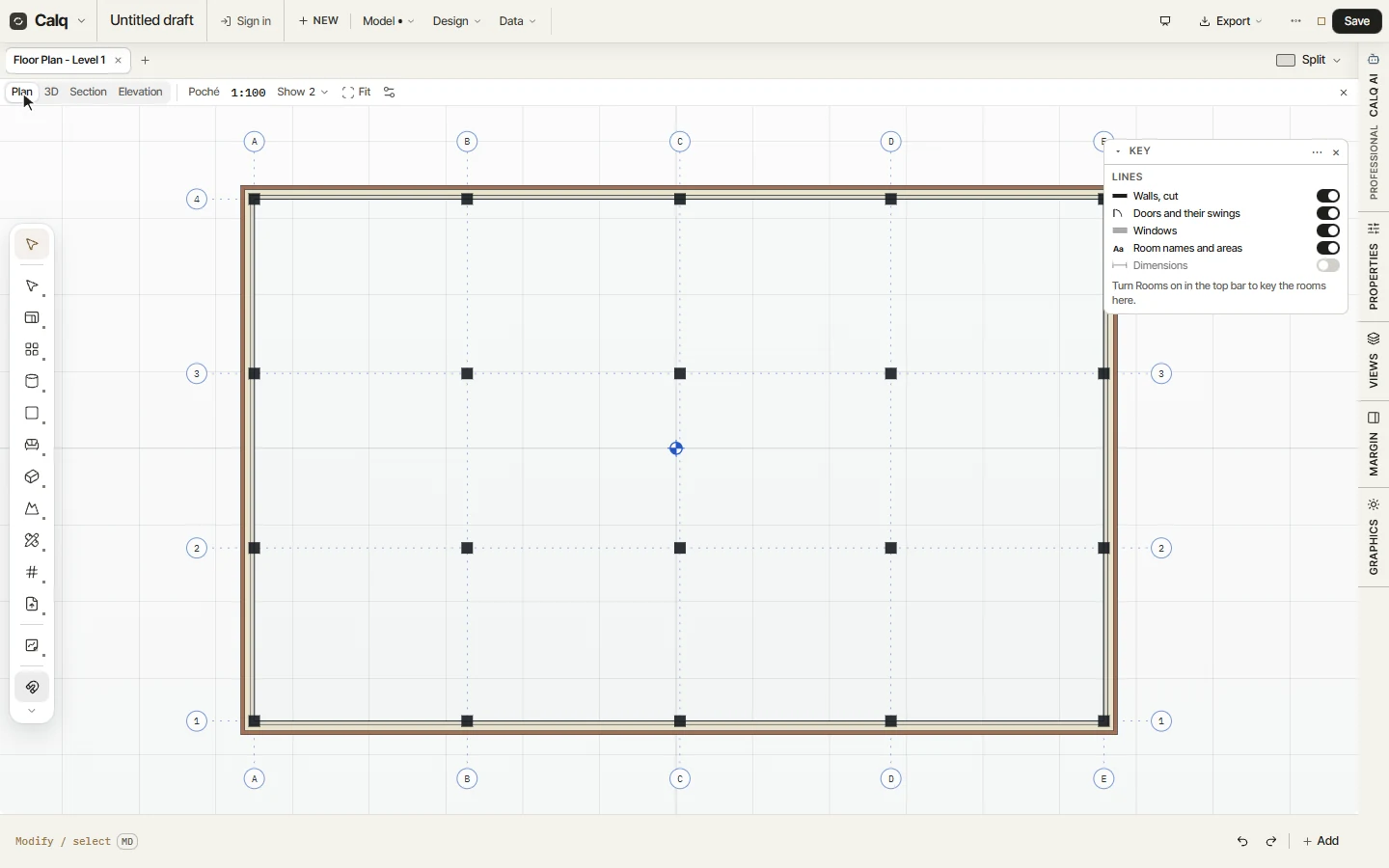
The plan draws the grid with its bubbles (A to E, 1 to 4) and the columns cut on it. Each column is selected and changed like any element, and goes out to IFC as an IfcColumn, a beam as an IfcBeam.