CalqFrançaisOpen Calq
Learn Calq: a building from A to Z / Part 6 Rooms and interiors
Propose a layout
Let Calq lay out the rooms, walls, doors and windows inside an outline, then work on what it drew like anything you draw.
You will draw the outline of a flat, have Calq propose its rooms and read what it drew.
01Propose the rooms
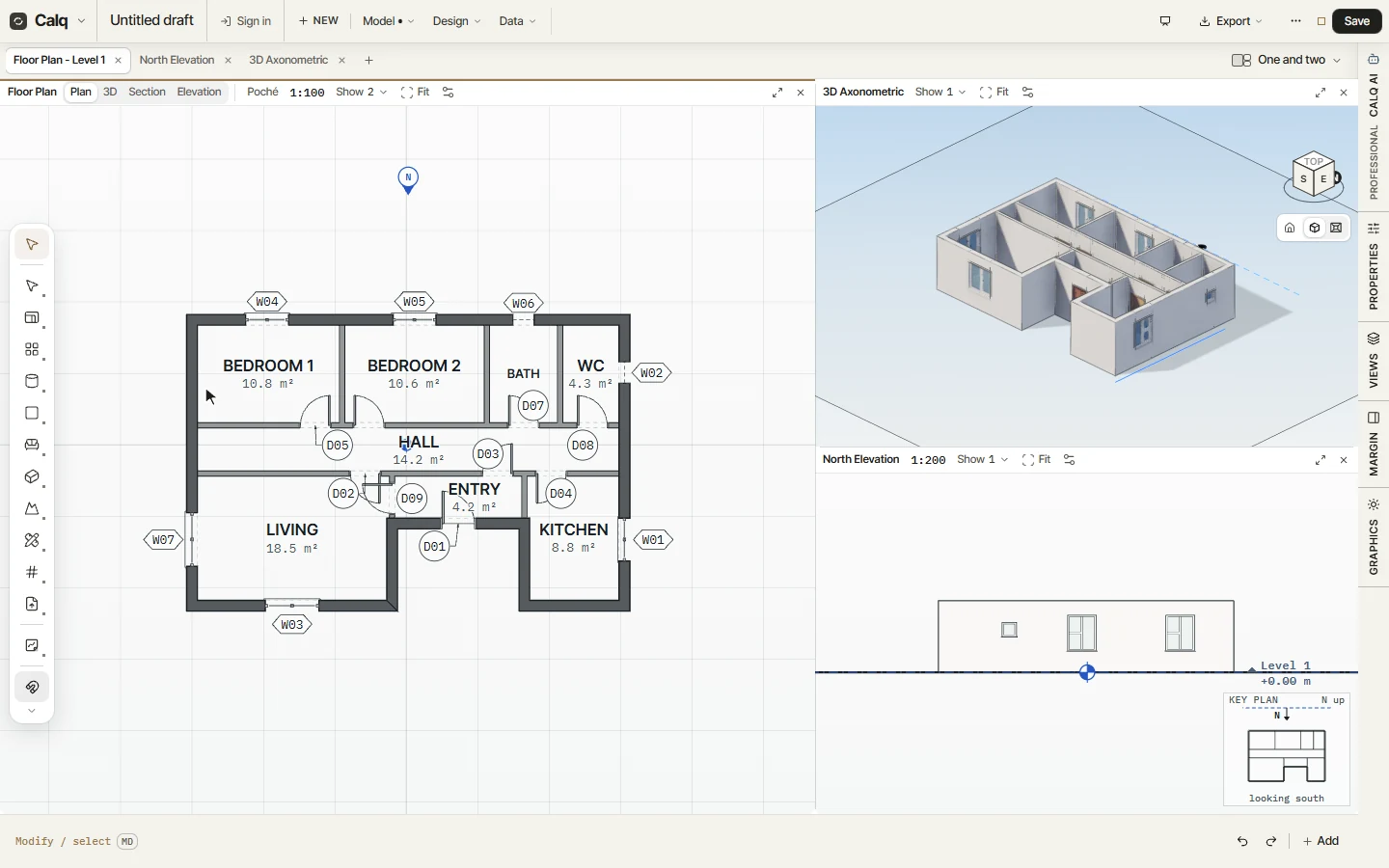
With only the outline of the flat drawn (12 x 8 m), choose Propose in the Rooms toolset, under Make it for me. Calq lays the rooms out inside it as a designer would and Calq AI's pen draws them in while you watch, the plan with a 3D view and an elevation opened beside it so you see the walls go up.
No AI model is called: the designer runs in your browser, on a copy of the model, so it works on a free account.
02What it drew
The layout is the model's own: here two bedrooms of 10.8 and 10.6 m2, a bathroom and a WC, a hall, an entry, a living room of 18.5 m2 and a kitchen of 8.8 m2, with their walls, doors and windows, each door and window numbered. Each one moves, changes or goes like anything you draw.
03A room like any other
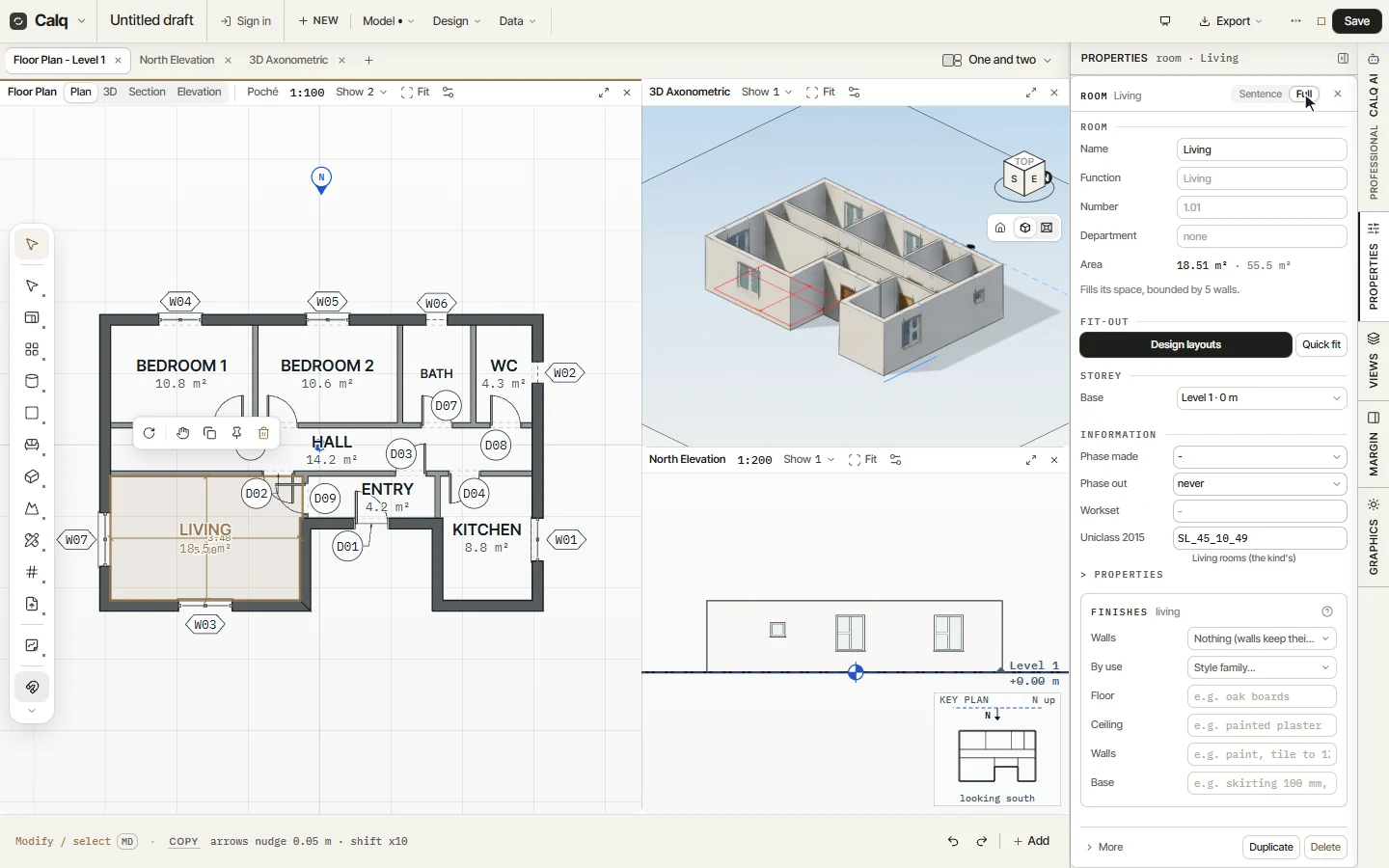
Click a room it drew, here the living room, and open Properties: it is a room like one you placed yourself, with its name, its number, its area, its function and its finishes. Change it, move a wall or delete what you do not want; the rooms follow their walls.