CalqFrançaisOpen Calq
Learn Calq: a building from A to Z / Part 6 Rooms and interiors
Areas and zones
Measure the floor by the rules of an area scheme, and group rooms into zones: a dwelling, a fire compartment, a heating zone.
You will measure the gross internal area of the flat, look at the area schemes, and make the flat's rooms one dwelling.
An area is measured by a scheme: gross internal area, net internal area or the International Property Measurement Standards (IPMS). A zone is written to IFC as an IfcZone of its rooms.
01An area by rule
With the flat's rooms placed, choose By rule in the Rooms toolset, under Make it for me. Calq measures the storey by its rule, here the gross internal area to the inner face of the outer walls, and lays it as an area: GIA 92.66 m2.
By rule keeps the area live: change the walls and it is measured again.
02An area by hand
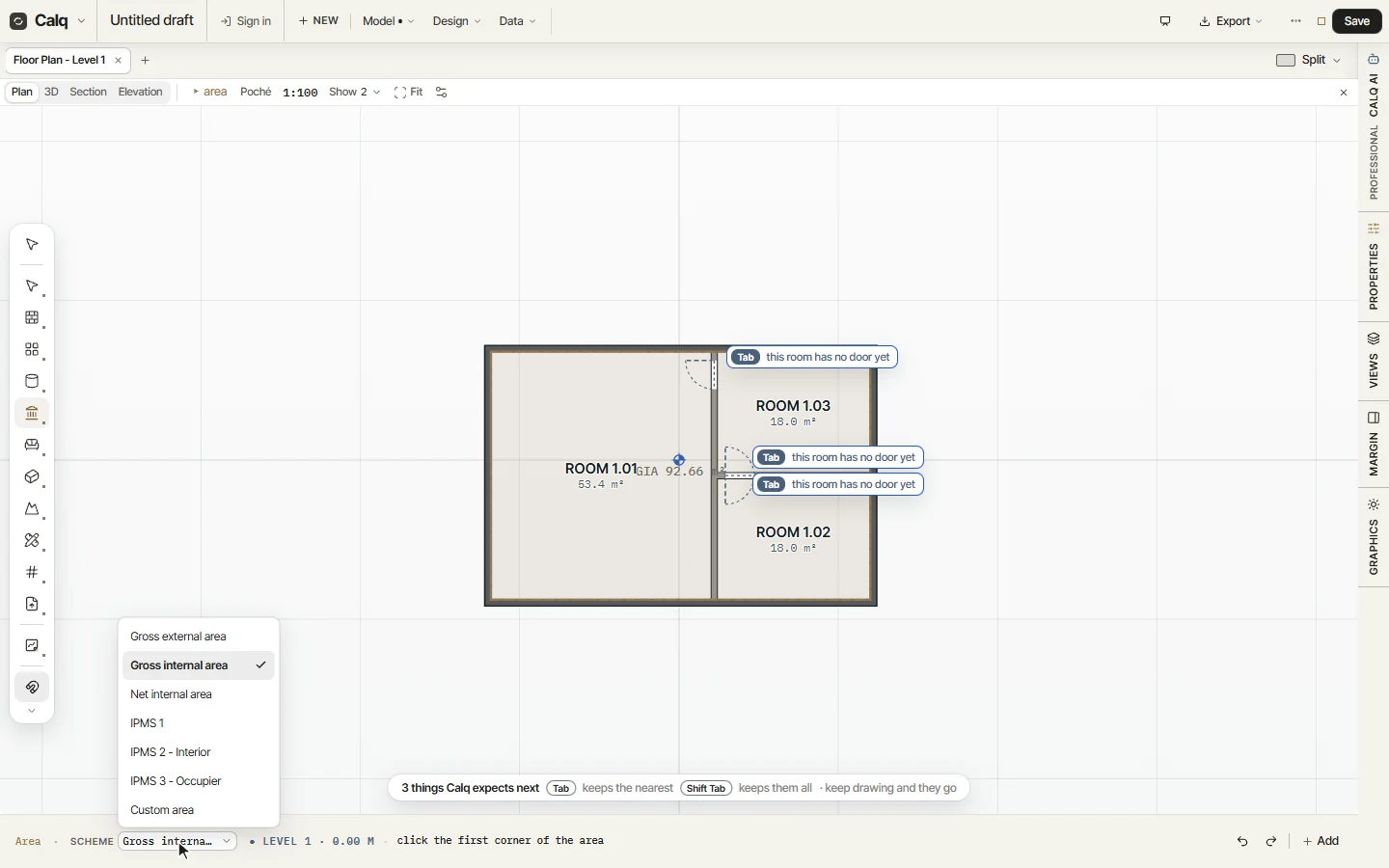
Area draws one corner by corner. Its Scheme, on the cursor line, says what it measures: open it to choose the scheme, then click round the area and close it.
03Rooms into a zone
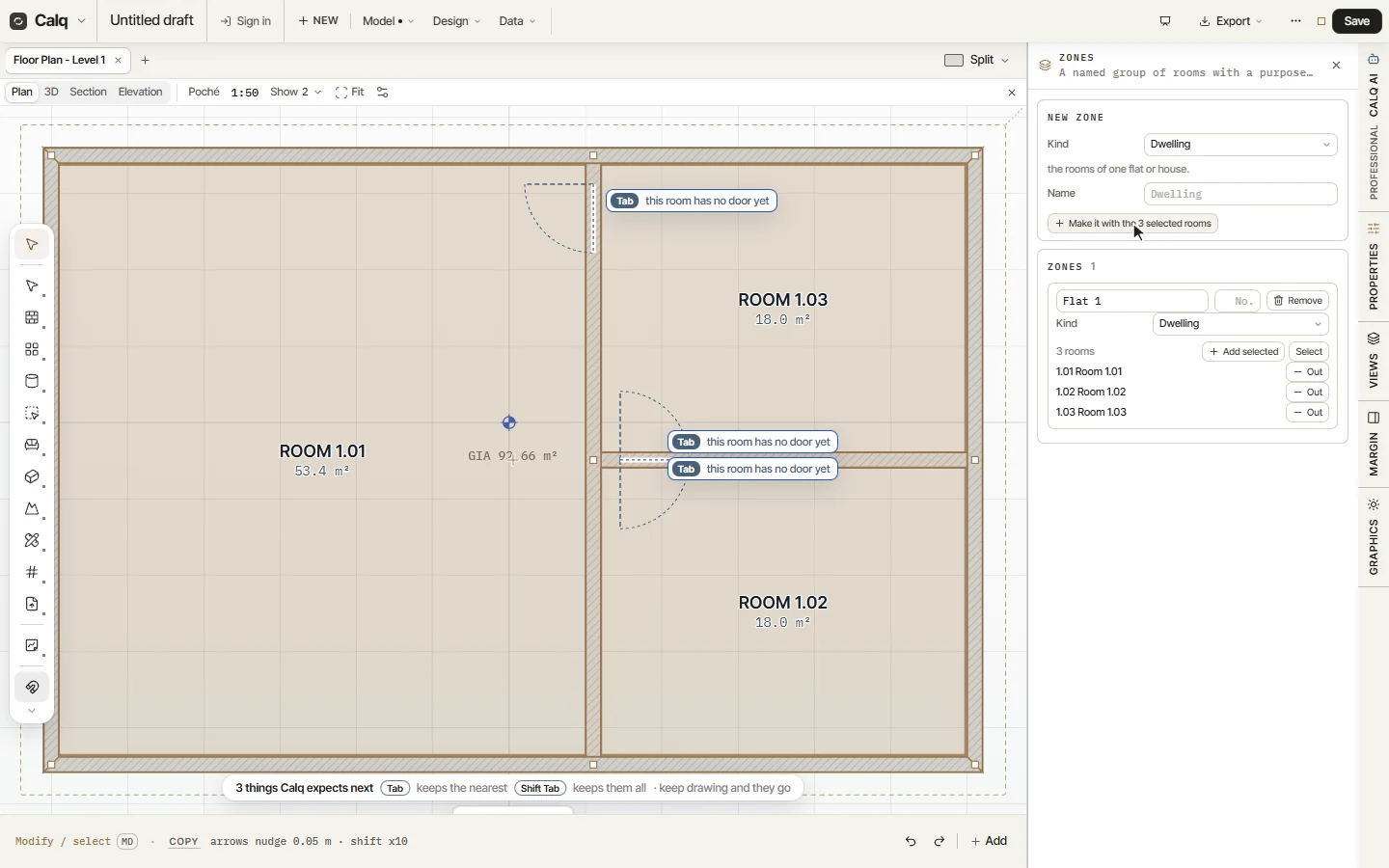
Drag a box round the flat to select its rooms, then choose Zones. In the Zones drawer, set the Kind (here Dwelling, the rooms of one flat or house), give it a name and press Make it with the 3 rooms: the selected rooms become one zone.
A zone is any group of rooms with a purpose: a heating or ventilation zone, a fire compartment, a security zone, a department or a tenancy. A room may belong to several.
04The zones of the model
Under Zones the drawer lists every zone with its kind and its rooms: rename it, number it, add the selected rooms, take one out or select them all on the plan. Split, in the toolset, turns a zone's edges into room separators.