CalqFrançaisOpen Calq
Learn Calq: a building from A to Z / Part 6 Rooms and interiors
Finishes and furniture
Furnish every room by what it is for, place a piece from the library, dress the walls and paint with real materials.
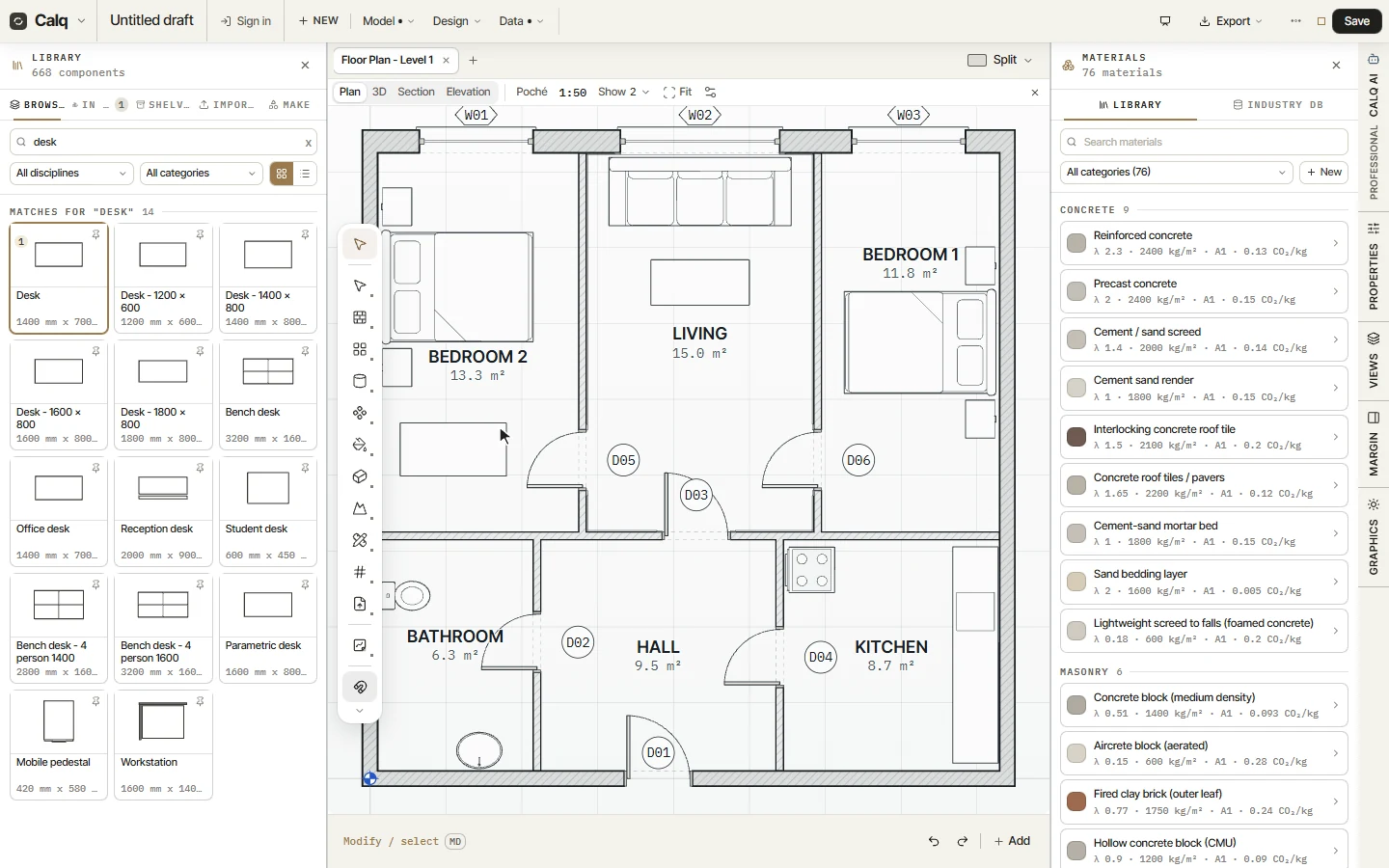
You will furnish the 2-bed flat, add a desk to a bedroom, dress the living room's walls and open the materials.
01Furnish the rooms
Open the Interior toolset and choose Furnish, under Make it for me. The cursor line offers three layouts and Replace; press Enter. Each room is furnished by what it is for: a bed and its bedside tables in a bedroom, a sofa and a table in the living room, a counter run in the kitchen, a WC and a basin in the bathroom, every piece clear of the door swings.
02A piece from the library
Library opens the components, shelf by shelf: doors, windows, furniture, kitchens, sanitaryware, lighting. Search (here desk), press a piece and click the plan to place it. A piece keeps its parameters: its size and its type change it in Properties.
Import, in the Library, brings in your own models (OBJ, glTF and others) as components.
03Dress the walls
Dress clothes the faces of the walls: a skirting, a dado, a cornice, panelling or tiles. Its cursor line picks the dress (Classic here), where it goes (the room) and the style (contemporary). Click inside a room, here the living room: every wall face looking into it wears the dress, seen in 3D and on the elevations. Every room by use, on the same line, dresses each room by what it is for, in one click.
04Paint with materials
Paint opens the materials, by shelf: concrete, masonry, metal, timber, finishes. Each carries what it is (its conductivity, its density and its carbon per kilogram), so what you paint with is measured too. Pick one and click a face to paint it.