Calq
CalqLearn Calq: a building from A to Z / Part 7 Editing the model
Hide, isolate and phases
Show only what you work on, hide a whole kind of element, and mark what exists, what comes down and what is new.
On Calq's sample house, you will isolate the stair, hide every door, mark the house as existing, take one of its walls down and draw the plan as the demolition.
01Isolate
Select the stair on the plan and press Isolate under Show in the Edit toolset. The plan goes on drawing the whole storey; turn the view to 3D with the strip's 3D and the stair stands there alone, the rest set aside but kept.
An isolate lasts while its element is selected: press Esc to let the stair go and the whole house comes back. Hide (HH) does the opposite of Isolate: it hides the selection until Show all (HR) brings it back.
02Hide a kind
Select a door and press Hide kind (HC): every door hides, whatever its type. Solo kind (IC) shows only the selected kind instead. Show all (HR) brings back everything hidden or isolated. None of these changes the model.
03Phases
Choose Phases in the Rooms toolset. A project has two phases unless you add more: Existing and New Construction. Draw a box round the house and press Existing: what it holds was there before the works. Then select the wall between the kitchen and the WC and store, and press Demolish in New Construction: it comes down in the works. New in New Construction marks what the works add.
The figures beside each phase count the elements made in it and taken out in it. The phases are renamed, reordered and added to in the same drawer, and an element's phases are also set in its Properties.
04A view as of a phase
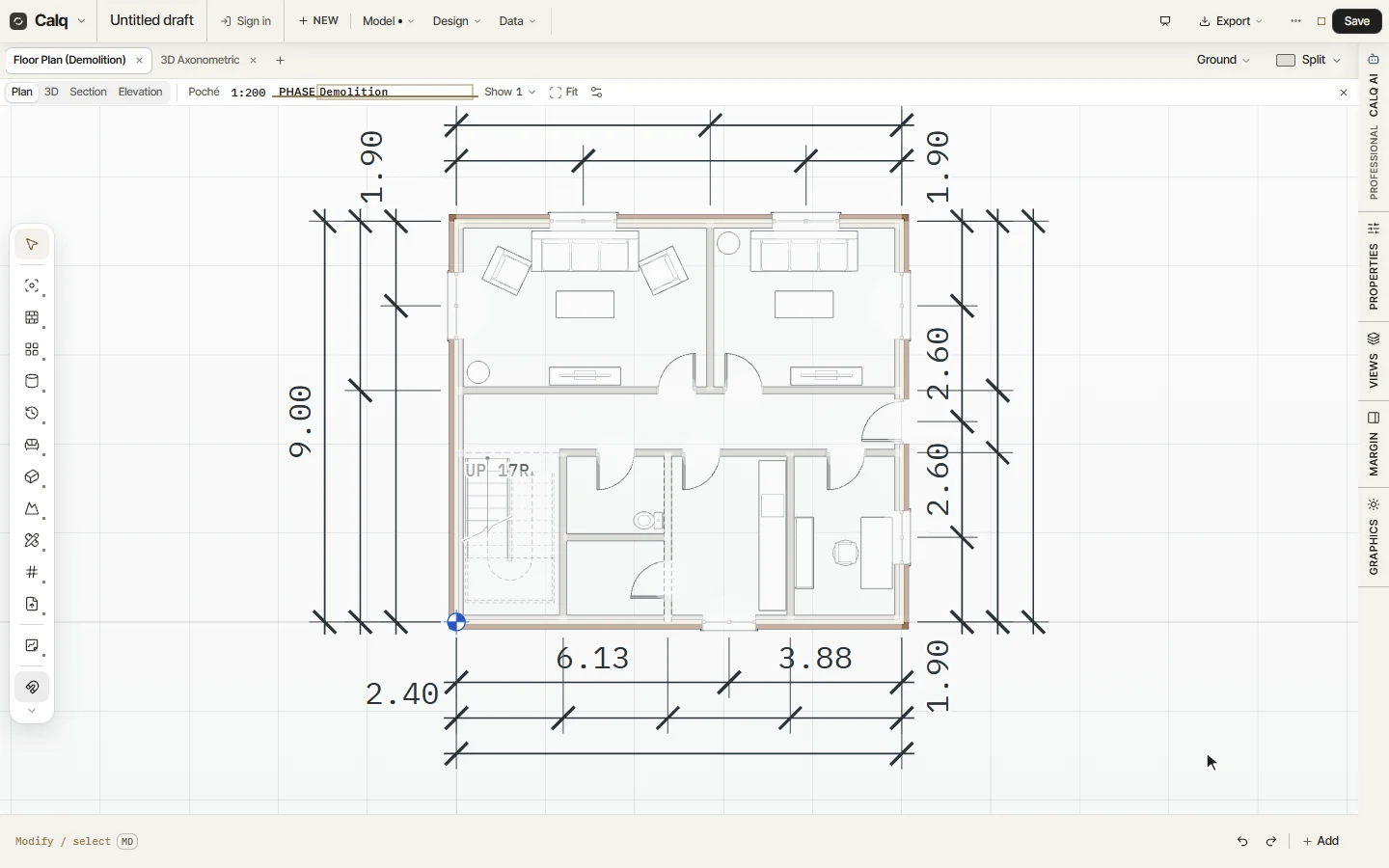
With a renovation in the model, the plan's strip carries Phase. Choose Demolition: the plan draws what stays and what comes down, the demolished wall dashed, and the tab names the view Floor Plan (Demolition). Existing draws the building as found, Proposed as it will stand, Works what the contract builds and takes down. Each view keeps its own choice; Board follows the board's.