Calq
CalqLearn Calq: a building from A to Z / Part 7 Editing the model
Groups and copies to the storeys
Group walls so they pick and move as one, change the group from inside, and repeat it on the storeys above.
On a model of three storeys, you will group the shop unit's walls, move its partition from inside the group, and copy the group to the two storeys above.
01Group
The model has three storeys (Margin, Levels, Add on top, as in Part 1). Draw a box round the room to select its walls and press Group (GP) under With the selection. One click on any of its walls now picks the whole group, which moves, copies and deletes as one. Ungroup (UG) dissolves it again.
02Edit the group
With the group selected, press Edit group (EG): the group stands alone in the view. A click with Ctrl takes the one wall under the cursor by itself: here the partition, nudged 1.5 m east with Shift and the right arrow. Show all (HR) ends the edit and brings the rest back.
03Copy to the storeys
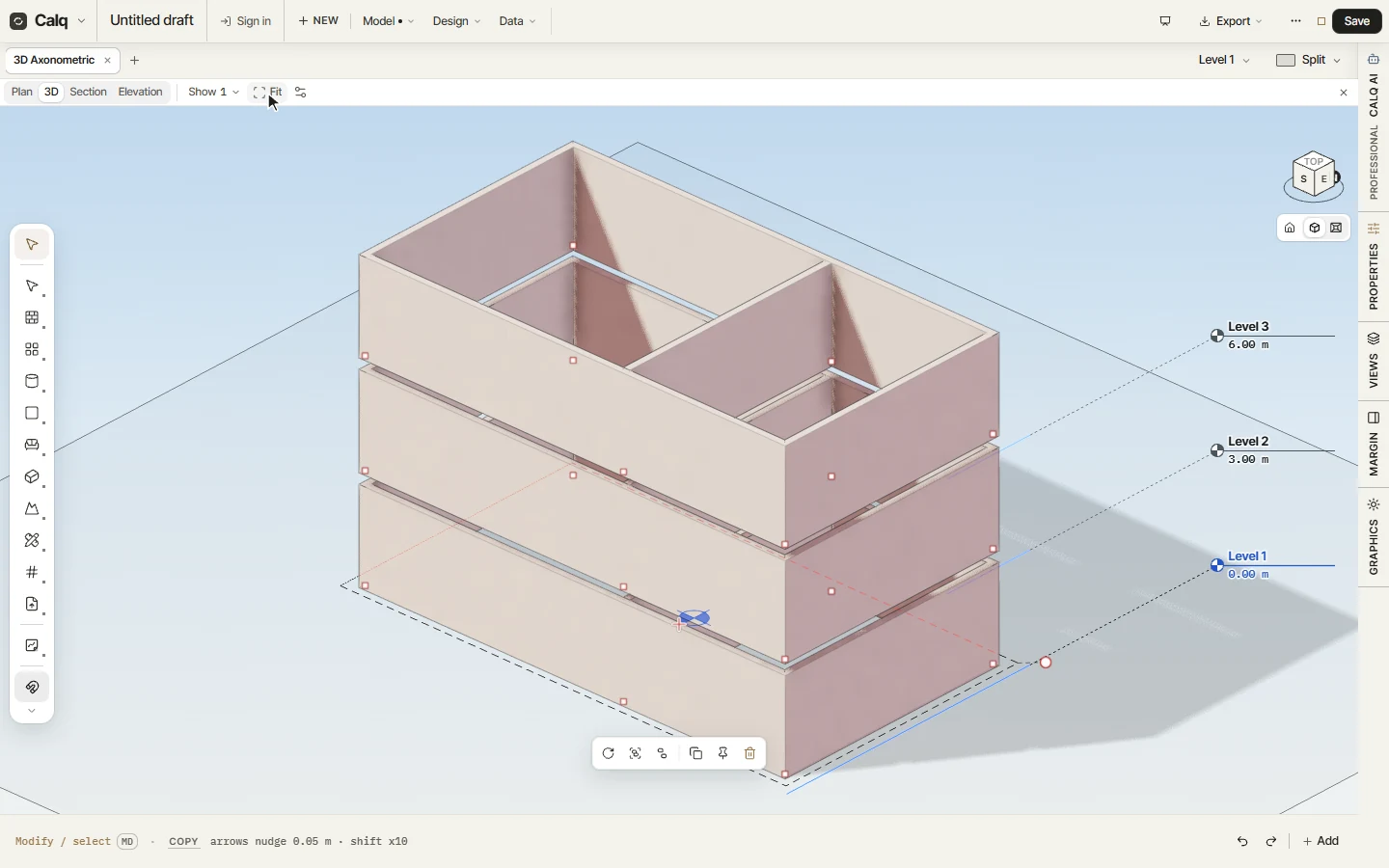
Select the group and choose To levels under Make it for me. Its cursor line asks where to: the storey above, all the storeys above, every other storey, or one by name. Choose all the storeys above and press Enter: the room is laid on Level 2 and Level 3, its doors and windows in their copied walls.
With nothing selected, To levels copies the whole storey you are on: the way to repeat a typical floor of flats.
04Three storeys
In 3D (Fit on the strip frames the model), the room stands on Level 1, Level 2 at 3.00 m and Level 3 at 6.00 m. Every copy belongs to the group, so one click picks the room on all three storeys.