CalqFrançaisOpen Calq
Learn Calq: a building from A to Z / Part 4 Massing
Masses by hand
Draw a mass of shops, pull a block of flats up off its roof, and give each mass its use and its storeys.
You will mass the worked project by hand: one tall storey of shops, and three storeys of flats set back above them.
01A mass of shops
Choose Box in the Mass toolset. Before you click, set the cursor line: the use (Retail), the storeys (1) and the floor-to-floor height (4.5 m, the taller storey of a shop); the line says how tall that makes it. Then click two opposite corners on the plan: the mass stands on the storey you are drawing on.
Mass draws any outline instead, corner by corner, and Round draws a cylinder.
02Pull the flats up off its roof
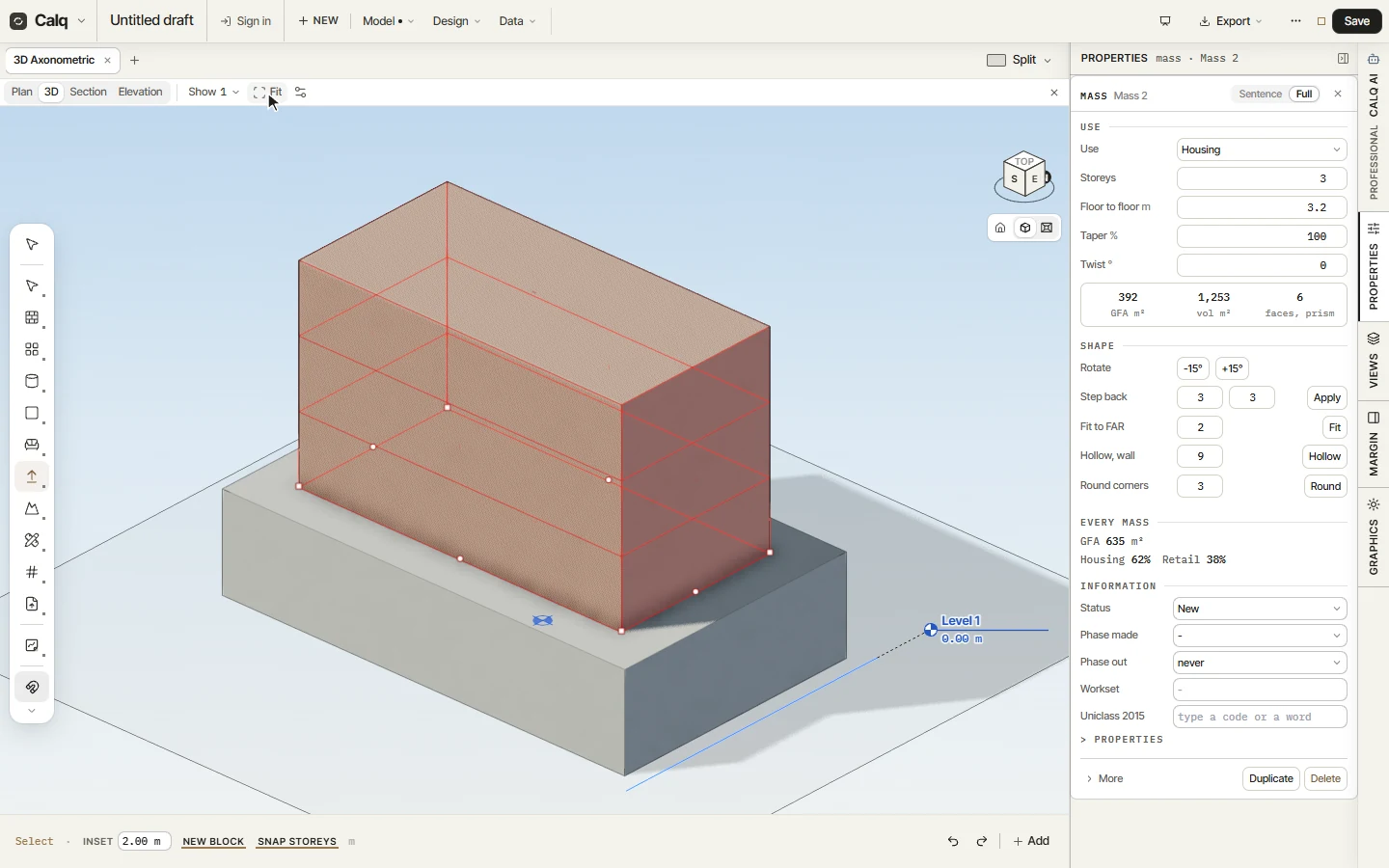
In 3D, choose Push/Pull. On its cursor line turn on New block and set Inset to 2 m, then press the top of the shops and drag up: a new mass rises off the roof, set in 2 m from its edges, and the shops stay as they are.
Without New block, Push/Pull moves the face itself: the top changes the height, a side the footprint. Type a distance while you drag to make it exact; Snap storeys keeps the height to whole storeys.
03Its use and its storeys
Select the new block and open Properties, Full. Set its use to Housing, its storeys to 3 and its floor-to-floor height to 3.2 m: the block becomes three storeys of flats.
04The model's mix
Under Every mass, Properties sums every mass of the model: the gross floor area and the share of each use, here housing and retail. The figures follow every change, so a massing can be weighed against the brief before a single wall is drawn.