CalqFrançaisOpen Calq
Learn Calq: a building from A to Z / Part 4 Massing
The zoning envelope
Turn the plot and its rules into the largest mass they allow on the ground, then give it the storeys the floor area ratio permits.
You will lay the envelope of the worked project's plot, look at it in 3D and fit its storeys to the plot's floor area ratio of 2.
01Lay the envelope
With the plot and its rules drawn (Part 2), open the Mass toolset and choose Envelope, under Make it for me. Calq sets the plot back on every edge by its rules (4 m from the road, 2 m at the sides, 6 m at the rear) and lays what is left as one mass, named Zoning envelope, on the ground storey.
The envelope is the most the plot may cover, not yet a building: it is a mass like any other, to cut down, split and shape in the lessons that follow.
02See it in 3D
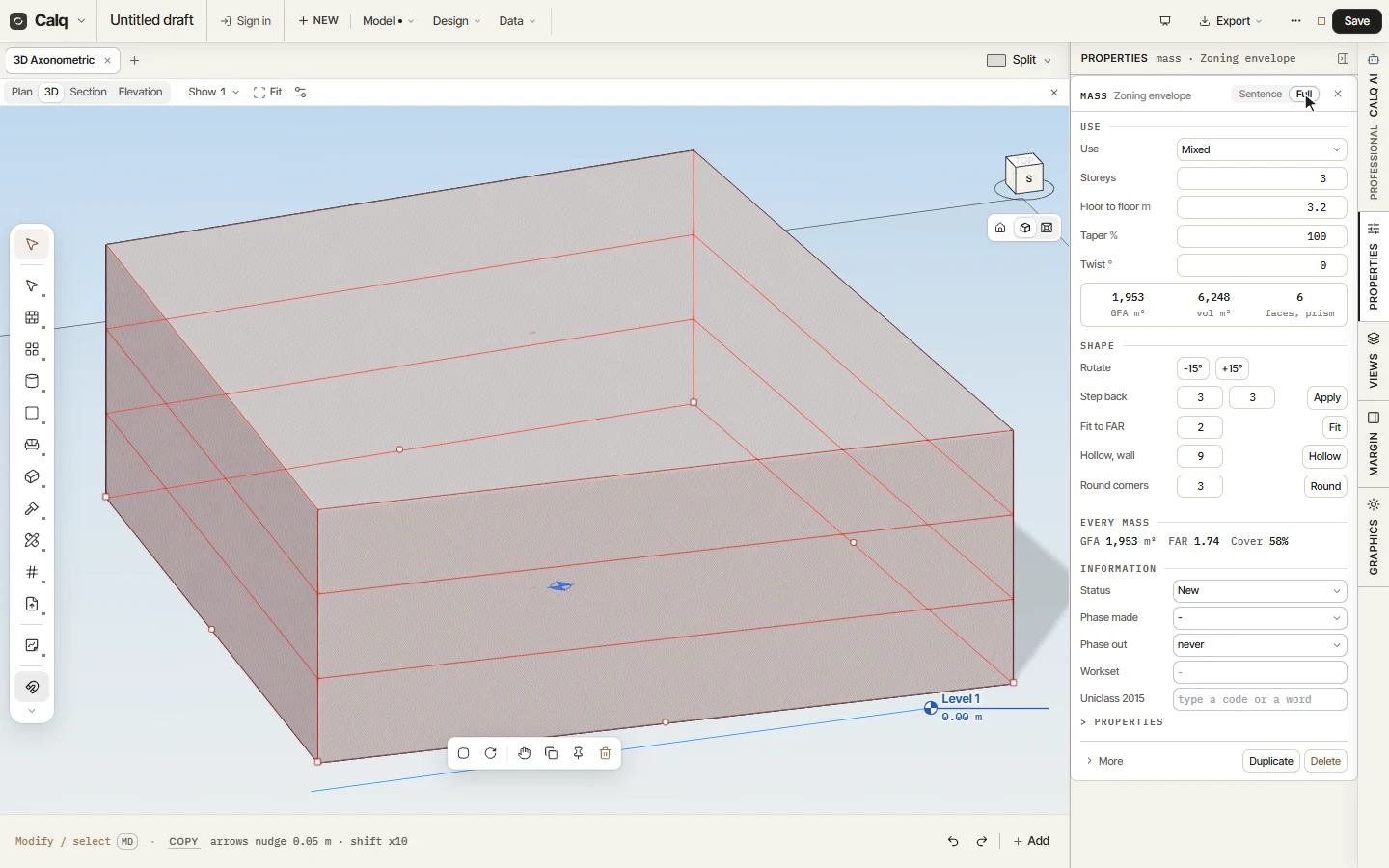
Click 3D on the view strip, then Fit to frame the model. Hold Shift and drag with the middle button to turn round it. The mass's storeys are drawn on its faces as lines.
03Fit it to the floor area ratio
With the envelope selected, choose Fit FAR in the Mass toolset, under With the selection. The cursor line asks for the ratio and is already filled with the plot's own (2): press Enter. Calq gives the mass the most storeys whose floor area stays within the ratio, here three.
Fit FAR measures the ratio against the plot's area, so it needs a plot drawn.
04Read the mass
Open Properties in the right rail, in its Full view. A mass carries its use, its storeys and its floor-to-floor height, a taper and a twist, and reads its gross floor area, its volume and its faces. Under Every mass, the whole model is set against the plot: here 1,953 m2 of floor, a ratio of 1.74 and 58% of the plot covered.