CalqFrançaisOpen Calq
Learn Calq: a building from A to Z / Part 2 The site
The plot's rules
Write the plot's planning rules as they are given (setbacks, site coverage, floor area ratio, height and storeys, and where they come from) and read what they allow.
You will give the worked project's plot its rules and read the floor and the storeys they allow on it.
01The setbacks
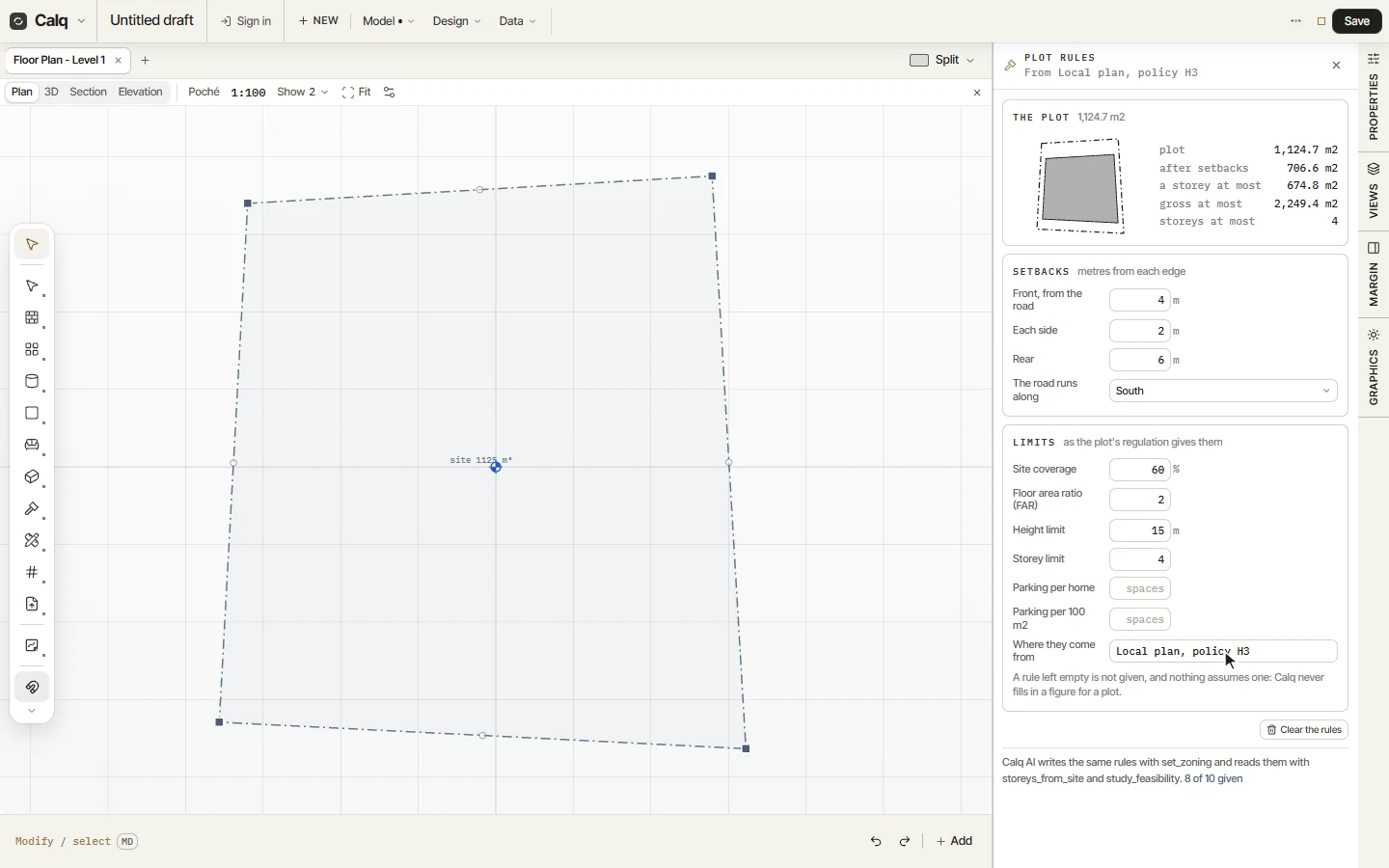
Choose Rules, under Parcel in the Site toolset: the Plot rules drawer opens beside the plan. Type the setbacks in metres (the front from the road, each side and the rear) and say which side of the plot the road runs along, so Calq knows which edge is the front.
A figure is kept when you press Enter or leave the field. Leave a field empty when the plot's rules say nothing about it: Calq never fills in a figure for a plot.
02The limits
Under Limits, type the site coverage (the share of the plot a building may cover, as a percentage), the floor area ratio (the gross floor area allowed over the plot's area), the height limit in metres and the storey limit. Parking per home or per 100 m2 is there too, when the plot asks for it.
Where they come from names the document the rules were taken from: a local plan, a zoning code, the plot's own sheet. It is written in the drawer's heading and kept with the model, so whoever reads the model later knows where each figure came from.
03What the rules allow
The Plot card draws the plot and, inside it, the area left after the setbacks. Beside it stand the plot's area, the area after the setbacks, the most floor one storey may take (that area, or the coverage when it is smaller), the most gross floor area the ratio allows and the most storeys.
Calq AI reads and writes the same rules. Once the model holds a brief (Part 3), the Programme drawer also says how many storeys the brief needs on this plot, and whether it fits.