CalqFrançaisOpen Calq
Learn Calq: a building from A to Z / Part 2 The site
The ground
Bring in the ground the building stands on, draw it as contours or tinted, see it in 3D and read it in figures.
You will make the ground of the worked project, a gentle fall to the street, draw it three ways and read its levels and slopes.
01Make the ground
Open Topography in the Site toolset and its Ground tab. A ground comes from a survey file (Excel, CSV, a list of points, DXF, DWG, LandXML or GeoJSON), from coordinates pasted in, from the map or from a description. For the worked project, describe it: under Described, keep an even fall one way, set Falls to S (south, the street side) and press Make the ground.
The contours are drawn on the plan at once, every 0.2 m, every fifth one heavier and lettered with its level. Level 0 of the model stands at 100 m unless you set another level.
02How it is drawn
The Look tab says how the ground is drawn: as contours, or tinted in bands of height, by slope, by the way it faces, by cut and fill, by what may be built on, or by where the water gathers, each with its key. The contour interval, the majors and their lettering are set there too.
03The ground in 3D
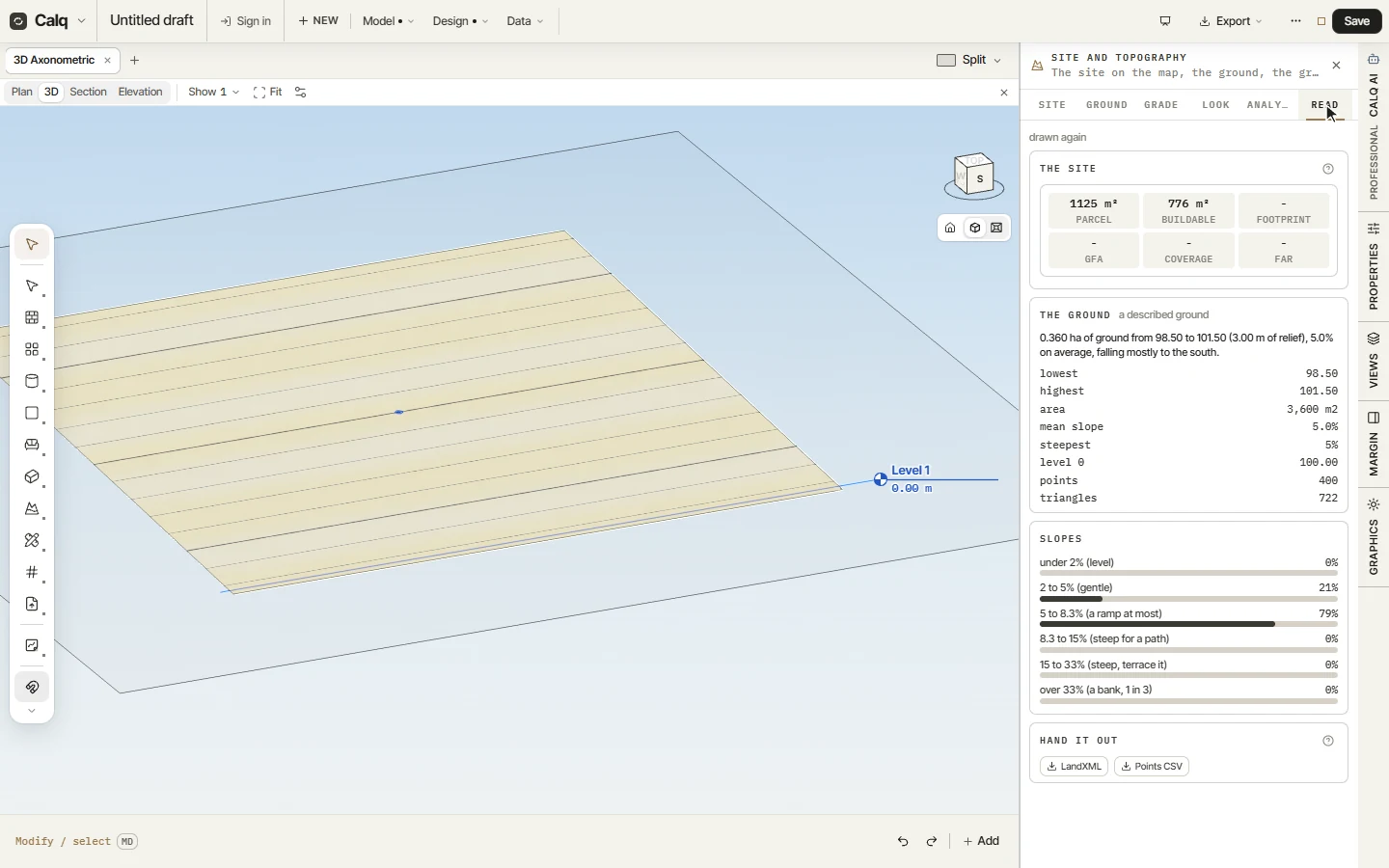
Click 3D on the view strip: the ground is drawn as a surface under the model, in the look you chose. Hold Shift and drag with the middle button to turn round it.
04The ground in figures
The Read tab gives the site's figures (the parcel and the buildable area, then the footprint, the floor area, the coverage and the ratio once a building stands on it), then the ground in words and numbers: its lowest and highest levels, its relief, its mean and steepest slope, and how much of it falls in each class of slope, from level to a bank. LandXML and Points CSV hand it out.
The Grade tab is for later, once the building is drawn: seat it on a platform, grade an area, run a swale or a berm along a line, set a ground level at a point, every edit listed and taken back one by one. The Analyse tab draws a long section across the ground and what can be seen from a point.