CalqFrançaisOpen Calq
Learn Calq: a building from A to Z / Part 0 Start here
Views, tabs and split
Open any view from the + of the tabs, split the board to see views side by side and choose which view each pane shows.
On a sample house, you will open the south elevation as a tab, split the board to see it beside the plan, show the 3D view in a pane and find every view in the set.
This lesson works on Calq's sample house, with its plans, elevations, sections and 3D view: the Do it in Calq button at the foot of the page opens it.
01Open a view from the +
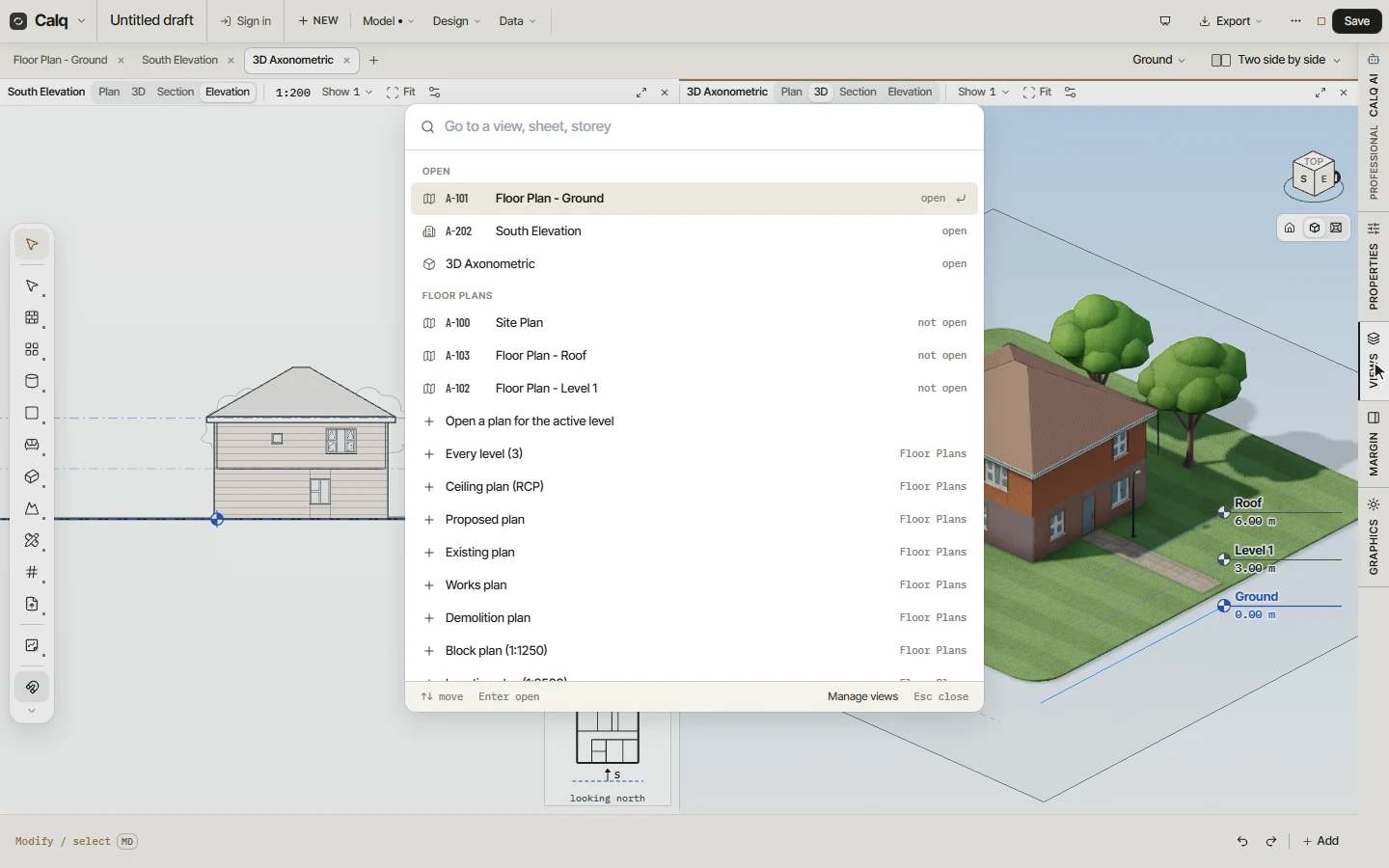
Every view on the board is a tab along the top. Click the + after the last tab (or press Ctrl + K): a box opens to go to any view, sheet or storey, with every family of views and the ways to make a new one.
Type "south" and press Enter: the South Elevation opens as a new tab and takes the board.
02Split the board
Click Split at the right of the tabs and choose Two side by side. The board is split into two panes, edge to edge: the elevation stays in one, the plan comes into the other.
Drag the line between two panes to size them. The menu also offers two stacked, one and two, three side by side and four; One view puts the board back to a single view.
03Choose what a pane shows
Click inside a pane to work in it, then click a tab: its view comes into that pane. Here the 3D view takes the place of the plan. You can also drag a tab onto a pane to show it there.
Each pane has its own strip: its first buttons (Plan, 3D, Section, Elevation) turn the pane's view into another kind.
04Find any view from the right rail
Click Views on the right rail: the same views finder as the + opens. The views open on the board come first, then every family (floor plans, ceiling plans, elevations, sections, drafting views, legends, schedules) with its views, each marked open or not open, and the ways to make a new one.
Type to narrow it, move with the arrows and press Enter to open; Manage views, at its foot, opens the whole set of views and sheets.