Calq
CalqLearn Calq: a building from A to Z / Part 13 Calq AI and outside assistants
Ask for a building
Say the building in a sentence: Calq AI reads it back, says what is still missing and shows the plan it would follow before anything is drawn.
You will ask Calq AI for the worked project in one sentence, give it what it asks for and approve its plan.
01Say it in a sentence
On a new board, write the building in the composer as you would say it to a colleague, here the worked project: a four-storey building, shops on the ground floor and two flats a floor above. Press Enter.
Calq AI starts in plan mode: it reads and plans, and nothing on the board changes until you approve.
02What it read
Calq AI answers before it draws anything:
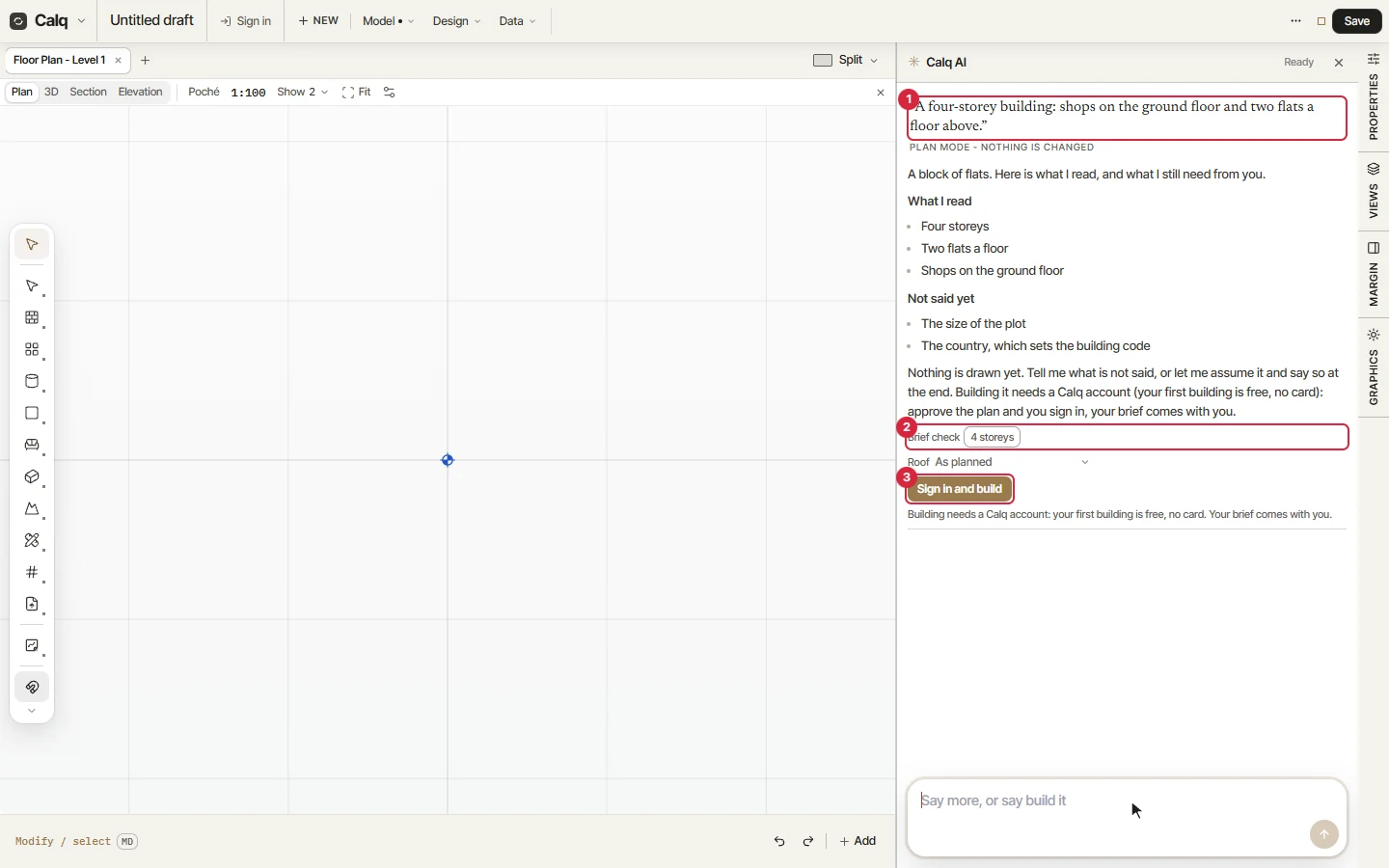
- Your request, and Plan mode, nothing is changed.
- What I read (four storeys, two flats a floor, shops on the ground floor) and Not said yet: the size of the plot and the country, which sets the building code. Then the brief check of the counts it will keep to, and the roof.
- The button that approves the plan.
Calq AI asks only what changes the outcome. Say it, or tell it to assume and it says what it assumed at the end.
03Say what is missing
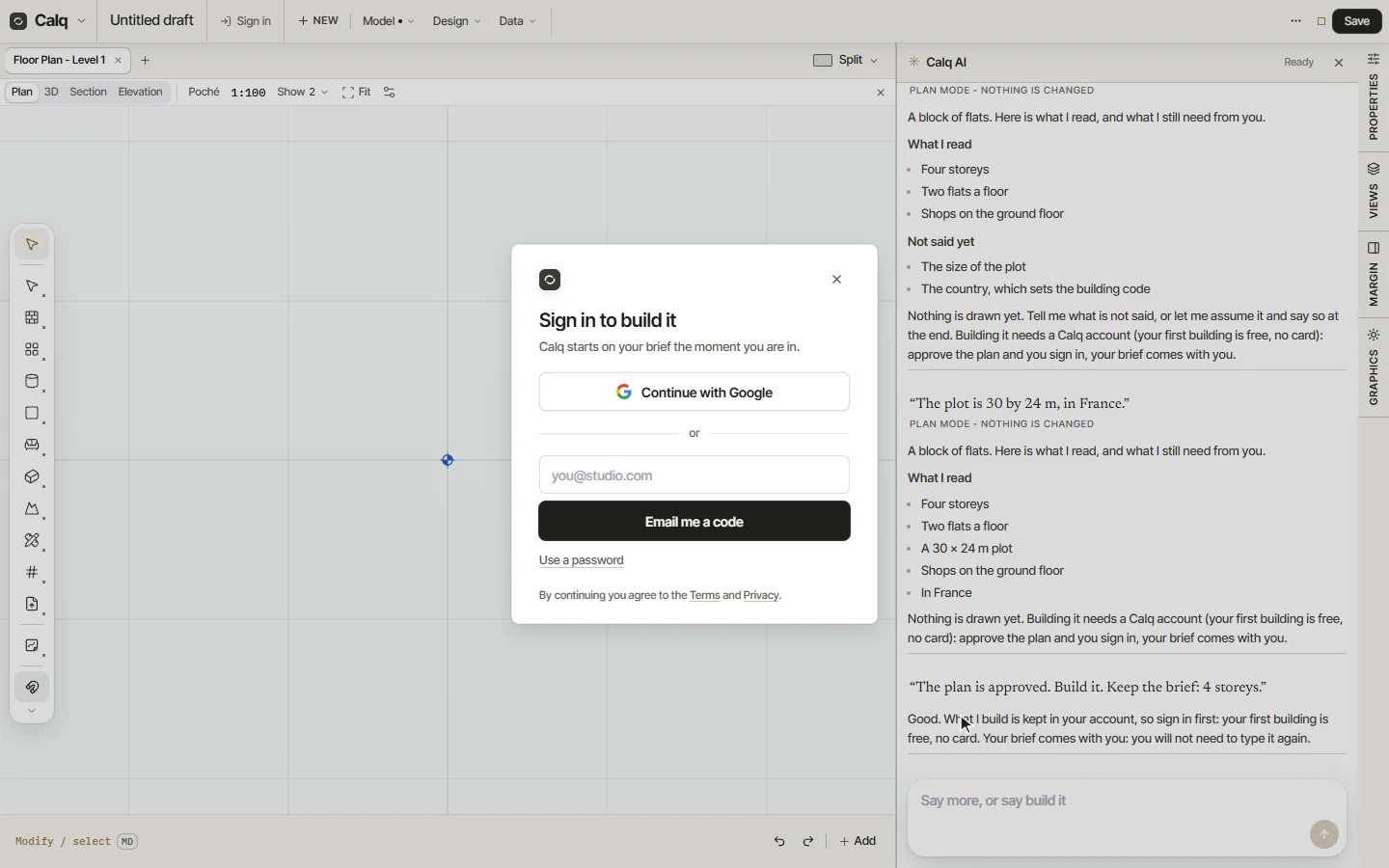
Answer in the same composer: the plot is 30 by 24 m, in France. Calq AI reads the whole brief again and adds what it learnt; nothing is missing any more.
04Approve the plan
The button under the plan approves it and builds. Building needs a Calq account: on a board without one, the button reads Sign in and build and opens the sign-in. Your brief is kept and comes with you, so you do not type it again.
Calq AI runs on a signed-in account; what each plan includes is on calq.live/pricing. The next lesson shows what a request looks like while it builds.