Calq
CalqLearn Calq: a building from A to Z / Part 13 Calq AI and outside assistants
Calq AI on the board
Where Calq AI lives: the first tab of the right rail, its head, its suggestions and its composer, and the / key that opens it from anywhere.
You will find Calq AI on the board, open and close it three ways, and see what it offers on a model and on a new board.
01The Calq AI tab
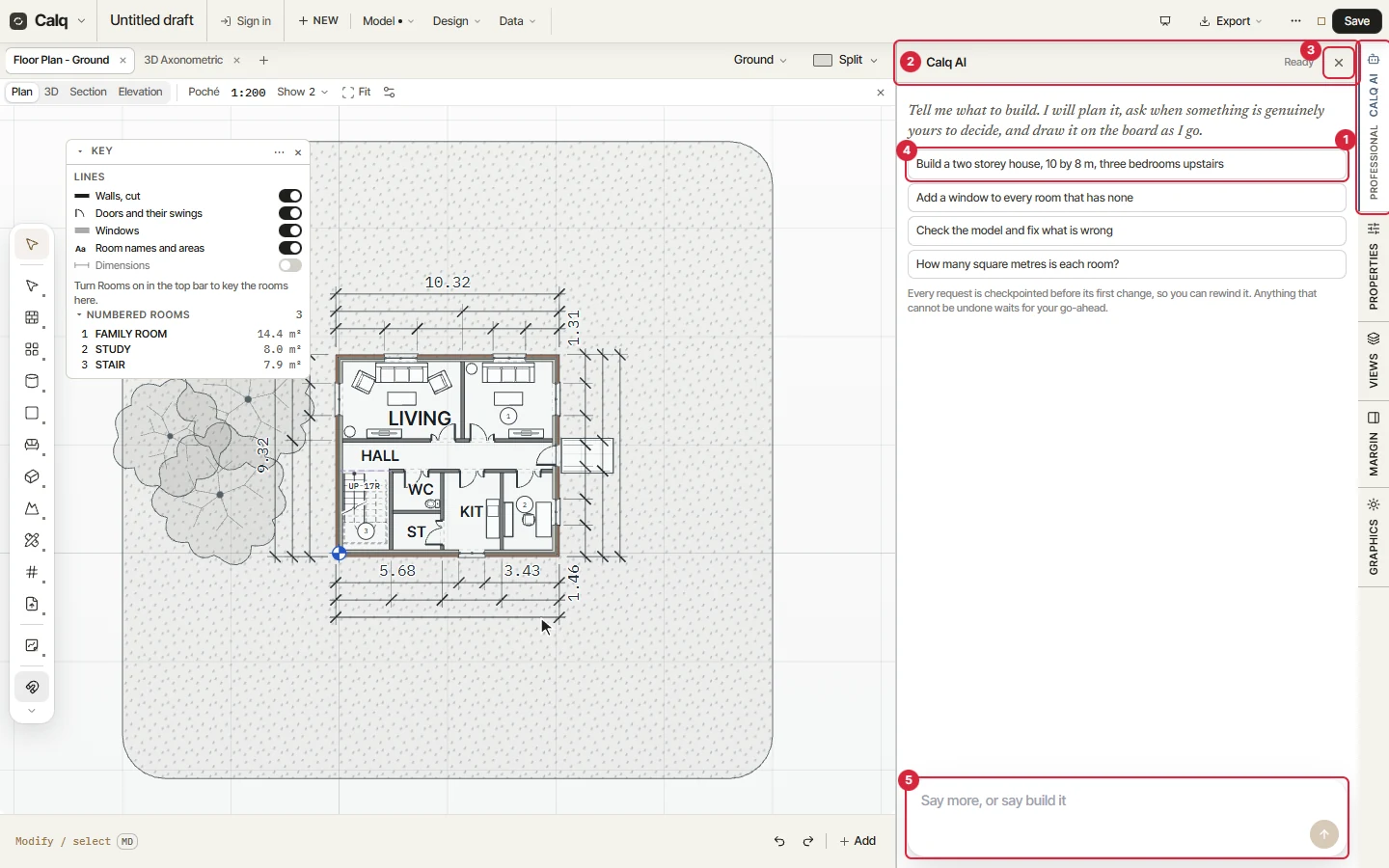
Calq AI is the first tab of the right rail. Open it and its drawer stands beside the drawing, with the model still in reach:
- The Calq AI tab of the right rail. Its badge says when a request waits for you, a question or a go-ahead. Here, on a board with no account, it reads Professional: the plan Calq AI comes with, on calq.live/pricing.
- The head: the conversation and what Calq AI is doing now (Ready while it waits).
- Close.
- Suggestions, to start from: build, add, check and fix, measure. A click sends one.
- The composer, where you write the request, and its send arrow.
On a signed-in board the head also opens your conversations on this model and a menu of what Calq AI keeps for you; the third lesson of this part shows them.
02Open it, close it
Close the drawer with its cross. Press / with the pointer anywhere on the board and it opens again, the composer ready to type in. Its tab in the right rail closes it and opens it too.
The drawer is as wide as you want it: drag the thin line on its inner edge.
03On a new board
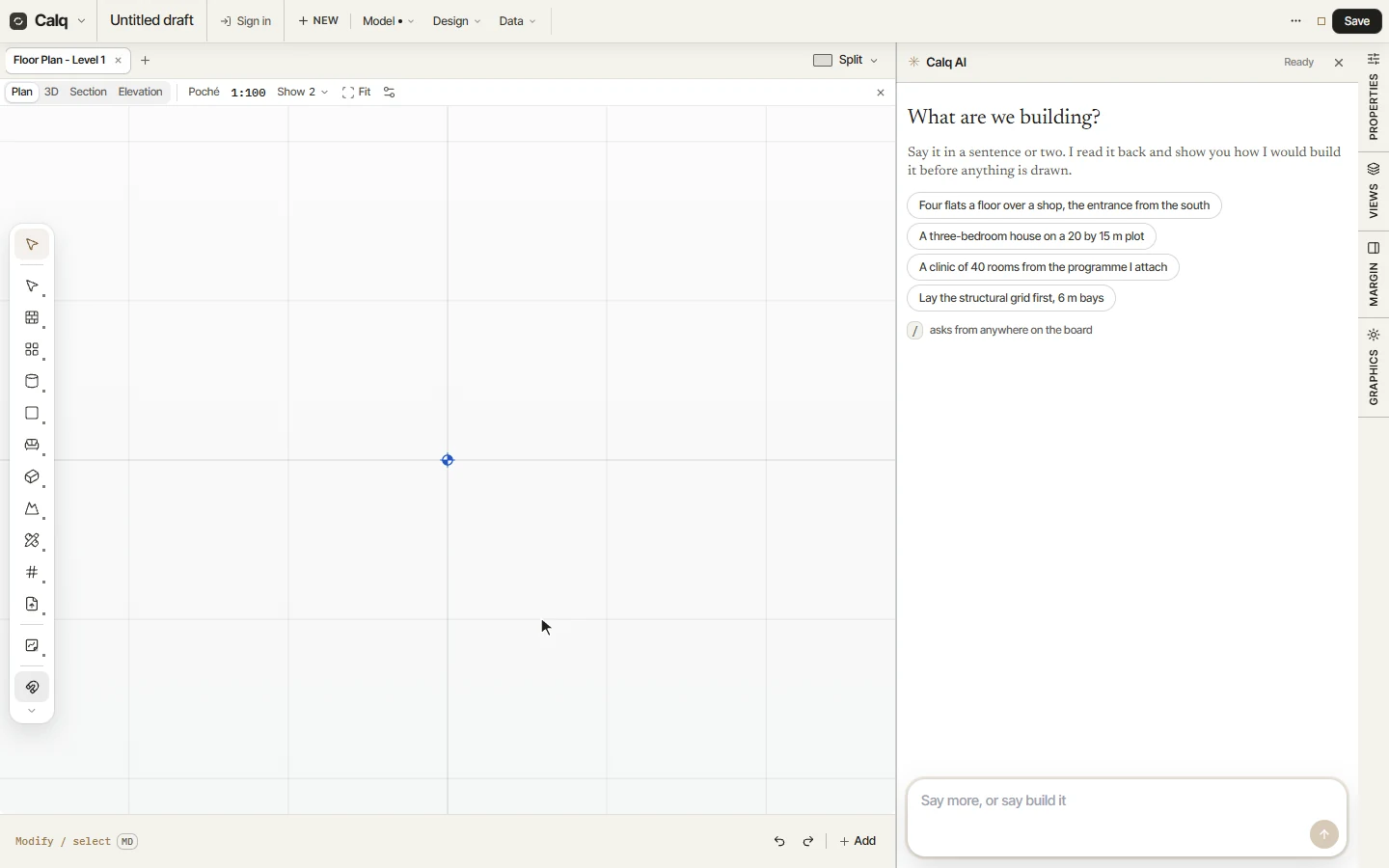
A new board opens with Calq AI already beside the sheet and its first question: What are we building? Under it, a few ways to start, and the reminder that / asks from anywhere on the board.
Calq AI and the board work on the same model: everything it draws is drawn with Calq's own tools, and stays yours to change by hand like anything you drew.