Calq
CalqLearn Calq: a building from A to Z / Part 14 Mastery
The sun and its shadows
Put the sun on a plan, pull it along its path, choose the day and the hour, and see the same sun in 3D.
You will put the sun on the sample house's plan, pull it to the afternoon, set the winter solstice at noon and look at the same sun in 3D.
01Put the sun on
Open Show on the plan's strip and choose Sun. The plan draws the study day's path round the building with its hours, the sun on the path at the study hour, and on the ground storey the building's shadow. The strip at the foot says the day and the hour, how high the sun stands and where it comes from, and for which latitude.
The sample house is not located, so the latitude is assumed, 30.0° N, and the strip says so. Locate the model (its base point in Part 1, the site from the map in Part 2) and the sun is the site's own.
02Pull the sun
Drag the sun along its path: the hour follows the hand and the shadow turns with it. Here it goes from the morning to 16:00 and the strip reads the sun 37° high from 278°, in the west. It is one sun for the whole model: every view and the 3D take the hour you leave it at.
03The day and the hour
The strip takes any date and time: a day and a month, and the hour typed. Its four days are the equinoxes and the solstices, 21 Mar, 21 Jun, 23 Sep and 21 Dec. Here 21 Dec is chosen, then 12:00 typed: the winter sun stands due south (180°), only 37° high, and the shadow falls long to the north.
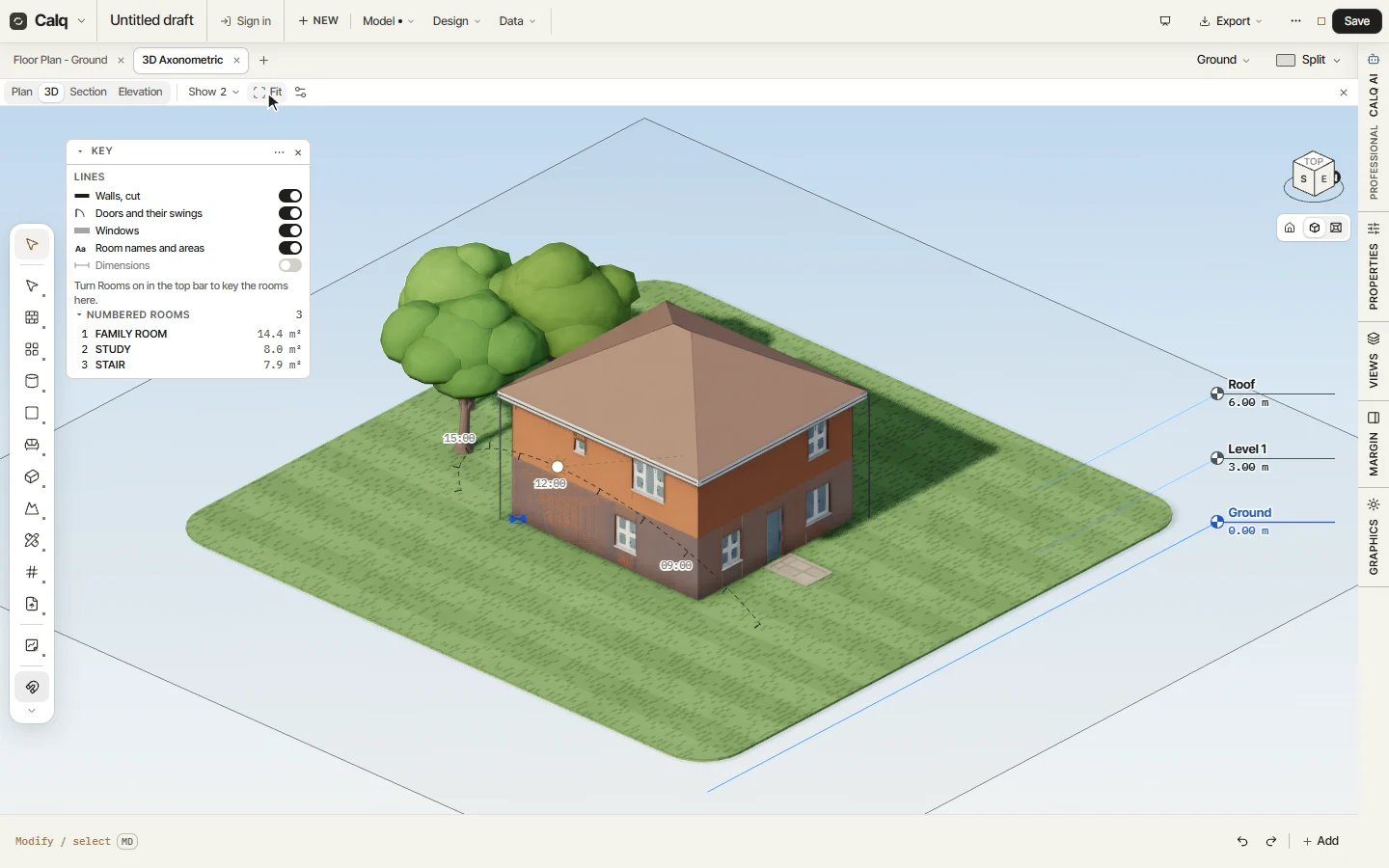
04The same sun in 3D
Open the 3D: the same path stands in the sky with its hours, the sun at the hour you set, and the model casts its shadows by it. The sun can be pulled there too. To have the sun on every plan, turn on Sun and shadows on plans in Preferences, Drawing.